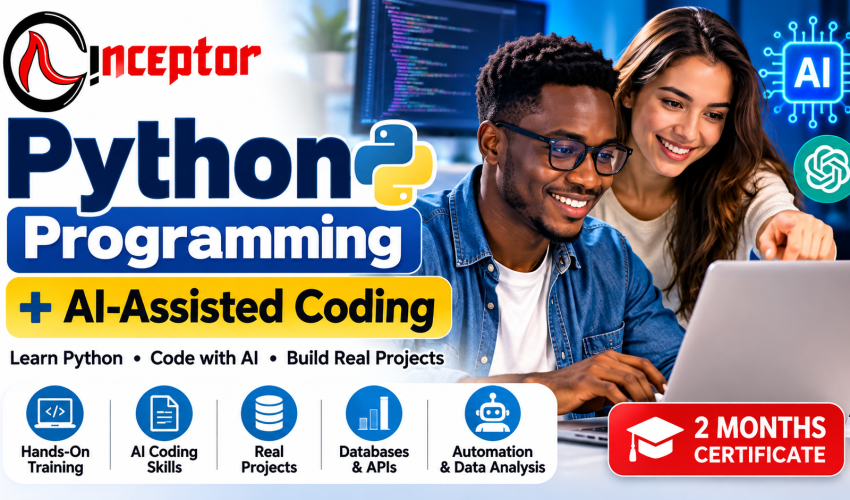

Why Learn Python Programming With AI-Assisted Coding?
Programming is changing.
Developers increasingly have access to AI tools that can help explain code, generate functions, identify bugs, suggest improvements, create documentation and accelerate software development.
However, AI does not replace the need to understand programming.
To use AI effectively for software development, you need to understand what the generated code is doing, recognize errors, test solutions and know how to turn an idea into a working application.
That is why this course combines two complementary skills:
1. Python Programming
Learn the programming concepts required to write, understand and maintain Python applications.
2. AI-Assisted Coding
Learn how to use modern generative AI and coding assistants to support programming tasks such as planning, coding, debugging, testing, documentation and code improvement.
This approach prepares learners for a software-development environment where programming knowledge and AI-assisted workflows increasingly work together.
What Is AI-Assisted Coding?
AI-assisted coding involves using artificial intelligence tools as programming assistants.
An AI coding assistant can help you:
- Explain unfamiliar Python code
- Suggest approaches to programming problems
- Generate starter code
- Complete repetitive code
- Identify possible bugs
- Explain error messages
- Refactor code
- Generate test cases
- Create documentation
- Translate requirements into development steps
- Explore alternative solutions
During this course, you will learn how to give AI better coding instructions and, critically, how to review, test and understand AI-generated code instead of blindly copying it.
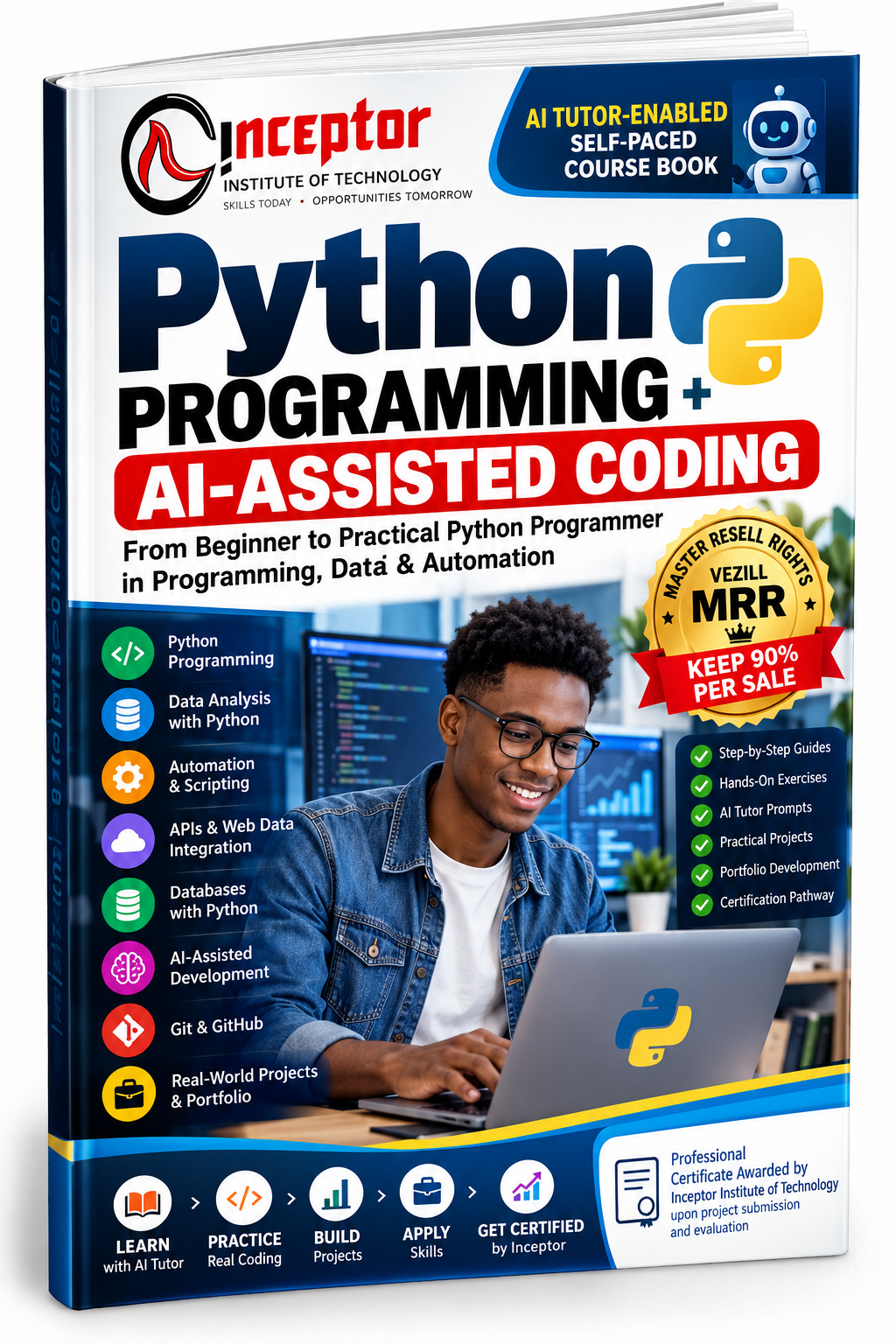
GET YOUR COPY: Python Programming + AI-Assisted Coding – AI Tutor-Enabled Self-Paced Course Book + MRR
What You Will Learn
Module 1: Introduction to Python Programming
Start from the beginning.
Learn:
- What Python is
- How Python programs work
- Installing Python
- Setting up your coding environment
- Python on Windows
- Python on macOS
- Python on Linux
- Running your first Python program
- Understanding Python syntax
- Writing clean and readable code
Practical Exercise
Create and run your first Python programs.
Module 2: Python Programming Fundamentals
Build a strong programming foundation.
Topics include:
- Variables
- Data types
- Numbers
- Strings
- Boolean values
- Operators
- User input
- Output
- String formatting
- Conditional statements
- If/else statements
- Loops
- Program flow control
You will learn how to break a problem into logical steps and translate those steps into Python code.
Module 3: AI-Assisted Coding Fundamentals
Now introduce AI into your development workflow.
Learn how to use AI to:
- Explain programming concepts
- Explain existing code
- Generate starter code
- Convert ideas into programming requirements
- Break large coding problems into smaller tasks
- Ask effective coding questions
- Improve prompts for programming tasks
- Compare different coding approaches
You will also learn an essential principle:
AI-generated code must be understood, reviewed and tested before it is trusted.
Module 4: Python Data Structures
Learn how Python stores and organizes information.
Topics include:
- Lists
- Tuples
- Dictionaries
- Sets
- Ranges
- Nested data structures
- Accessing and modifying data
- Iterating through collections
AI-Assisted Exercise
Describe a data-processing problem to an AI assistant, evaluate its proposed solution, then implement and test the Python code yourself.
Module 5: Functions, Modules & Reusable Code
Learn how to organize programs efficiently.
Topics include:
- Creating functions
- Function parameters
- Return values
- Variable scope
- Python modules
- Importing modules
- Creating reusable code
- Lambda functions
- List comprehensions
- Generators
AI-Assisted Coding Skills
Learn how AI can help:
- Explain complex functions
- Refactor repetitive code
- Suggest reusable functions
- Generate documentation
- Identify inefficient code
Module 6: Debugging Python With AI
One of the biggest challenges for new programmers is understanding why code does not work.
You will learn systematic debugging rather than random trial and error.
Topics include:
- Understanding Python error messages
- Syntax errors
- Runtime errors
- Logical errors
- Exception handling
- Using try/except
- Tracing program execution
- Debugging techniques
Then learn how to use AI to:
- Interpret error messages
- Identify possible causes
- Suggest debugging steps
- Explain why a solution failed
- Compare alternative fixes
The objective is not simply to make AI “fix the code.”
The objective is to understand what went wrong, why it went wrong and why the correction works.
Module 7: Object-Oriented Programming in Python
Learn how larger applications can be organized using object-oriented programming.
Topics include:
- Classes
- Objects
- Attributes
- Methods
- Constructors
- Inheritance
- Encapsulation
- Reusable software components
Use AI-assisted explanations to help understand more complex programming structures while continuing to write and test your own code.
Module 8: Working With Files & Data
Learn how Python interacts with files and information.
Topics include:
- Reading files
- Writing files
- Working with text files
- CSV data
- Processing structured information
- Data preparation
- Data transformation
Practical Projects
Build Python scripts that can automate repetitive file and data-processing tasks.
Module 9: Python Databases & SQL
Learn how applications store and retrieve data.
Topics include:
- Introduction to databases
- Database concepts
- SQL fundamentals
- SQLite3
- Connecting Python to a database
- Creating records
- Reading records
- Updating records
- Deleting records
- Exception handling
- Building database-driven Python programs
Module 10: APIs & Automation With Python
Python is widely used for automation and system integration.
Learn:
- What APIs are
- Sending requests
- Working with API responses
- JSON data
- Connecting applications
- Automating repetitive processes
- Building useful Python scripts
You will use AI to help plan automation workflows and troubleshoot code while learning to verify that the resulting programs work correctly.
Module 11: Python for Data Analysis
Learn how Python can be used to work with data.
Topics include:
- Introduction to Pandas
- DataFrames
- Loading datasets
- Cleaning data
- Filtering data
- Transforming data
- Exploring datasets
- Basic analysis
- Data preparation
This creates a foundation for learners who may later specialize in data analytics, data science or machine learning.
Module 12: Data Visualization
Learn how to turn data into visual information.
Topics include:
- Introduction to Matplotlib
- Creating charts
- Plotting data
- Customizing visualizations
- Understanding visualization choices
- Presenting findings clearly
Learners can use AI assistance to explore visualization approaches while learning how to choose and validate appropriate charts themselves.
Module 13: Web Scraping & Practical Python Applications
Learn how Python can collect and process publicly accessible web information where appropriate.
Topics include:
- Introduction to web scraping
- Understanding webpage structure
- Extracting information
- Cleaning extracted data
- Saving results
- Automating data collection
You will also discuss responsible and appropriate use of automated web-data collection.
Module 14: Introduction to Computer Vision With Python
Get introductory exposure to image processing and computer vision.
Topics may include:
- Introduction to OpenCV
- Reading images
- Image manipulation
- Basic image processing
- Object/face detection concepts
- Motion-detection concepts
This provides a starting point for learners interested in AI and computer vision.
Module 15: AI Coding Workflow – From Idea to Working Application
Learn a structured workflow for combining human programming skills with AI assistance.
STEP 1 — Define
Clearly define what you want the program to accomplish.
STEP 2 — Plan
Break the project into components and development tasks.
STEP 3 — Code
Write the Python solution, using AI assistance where appropriate.
STEP 4 — Understand
Make sure you understand the generated or suggested code.
STEP 5 — Test
Test individual functions and the complete application.
STEP 6 — Debug
Identify and resolve errors.
STEP 7 — Improve
Refactor the code for readability, maintainability and performance.
STEP 8 — Document
Create clear documentation explaining how the application works.
This workflow helps learners move beyond simply “prompting AI” toward becoming developers who can direct, evaluate and improve AI-assisted software development.
Practical Python Projects
This is a hands-on course.
Depending on the class and learner progression, practical exercises can include projects such as:
- Python calculator
- Expense tracker
- Student records system
- Contact management application
- File automation tool
- Data-processing script
- Web-data extraction project
- Database-driven application
- API integration
- Business automation script
- Data-analysis project
- AI-assisted Python application
These projects help learners develop a portfolio demonstrating practical programming ability.
Who Should Take This Course?
The Python Programming + AI-Assisted Coding Course is suitable for:
- Complete programming beginners
- University and college students
- ICT students
- Computer science students
- Working professionals
- Aspiring Python developers
- Aspiring software developers
- Data analysts
- Aspiring data scientists
- AI and machine-learning beginners
- Freelancers
- Entrepreneurs
- Business owners interested in automation
- Professionals who want to automate repetitive work
- People interested in remote technology opportunities
- Anyone interested in learning how to code with AI
No previous Python programming experience is required.
Basic computer-use skills are recommended.
What Skills Should You Have After the Course?
By the end of the training, a successful learner should have a practical foundation in:
- Python programming
- Programming logic
- Problem solving
- Data structures
- Functions
- Object-oriented programming
- File handling
- Error handling
- Databases and SQL
- APIs
- Automation
- Basic data analysis
- Data visualization
- AI-assisted programming
- AI prompting for coding
- Debugging AI-generated code
- Reviewing and testing generated code
- Building practical Python projects
Python Career & Income Opportunities
Python can provide a foundation for several technology career paths.
Depending on your additional specialization and experience, Python skills can contribute toward opportunities in:
- Python development
- Software development
- Backend development
- Data analysis
- Data science
- Artificial intelligence
- Machine learning
- Automation
- Cybersecurity
- API development
- Cloud and DevOps
- Technical freelancing
Learners interested in professional roles should continue building specialized skills, real-world projects and a strong portfolio after completing the foundational course.
Python for Freelancing & Remote Work
Python skills can also support freelance services such as:
- Business automation
- Python scripting
- Data cleaning
- Data processing
- API integrations
- Web-data extraction
- Database solutions
- Backend development
- Custom software tools
AI-assisted coding can help developers work more efficiently, but clients ultimately pay for working solutions, problem-solving ability and reliable results.
Build Digital Products With Python
Python skills can also be turned into digital products.
You can potentially create:
- Python scripts
- Automation tools
- Source-code projects
- Programming templates
- APIs
- Data-analysis tools
- Coding guides
- Python tutorials
- Micro-courses
- Developer resources
- AI-powered applications
This gives learners another pathway beyond traditional employment: using technical knowledge to build software solutions and digital assets.
Why Choose Inceptor Institute of Technology?
Inceptor’s approach emphasizes practical technology training.
Students benefit from:
- Hands-on Python training
- AI-assisted coding skills
- Practical programming exercises
- Real-world projects
- Beginner-friendly instruction
- Experienced technology trainers
- Physical classroom training
- Instructor-led online learning
- Weekday and weekend classes
- Flexible morning, afternoon and evening sessions
- Project-based learning
- One-on-one learning options
- Incubation space
- Learning materials
- Practical project support
- Certificate upon successful completion
Learning Modes
Classroom Training
Attend instructor-led physical classes at Inceptor Institute of Technology in Nairobi.
Online Training
Join instructor-led online classes from anywhere in Kenya.
One-on-One Training
Receive personalized instruction focused on your learning pace and objectives.
Corporate / Onsite Training
Organizations can request customized Python and AI-assisted coding training for teams.
Project-Based Learning
Apply what you learn by developing practical Python applications.
Course Requirements
You should have:
- Basic computer knowledge
- Access to a computer/laptop for practice
- Interest in programming and technology
- Willingness to practice regularly
No previous programming experience is required.
Frequently Asked Questions
Where can I learn Python programming in Nairobi?
Inceptor Institute of Technology offers Python Programming + AI-Assisted Coding training in Nairobi, with both physical classroom and instructor-led online learning options.
Can a complete beginner learn Python?
Yes. The course starts with Python fundamentals before progressing to functions, data structures, object-oriented programming, databases, APIs, automation, data analysis and practical projects.
What is AI-assisted coding?
AI-assisted coding involves using artificial intelligence tools to support software-development tasks such as explaining code, suggesting solutions, generating code, debugging, testing and documentation. Developers still need programming knowledge to evaluate and verify the output.
Will I learn how to use AI to write Python code?
Yes. The course teaches you how to use AI as a coding assistant while developing the Python knowledge required to understand, test, debug and improve AI-generated code.
Can AI help me learn Python faster?
AI can be useful as an interactive learning assistant for explaining concepts, generating examples and helping interpret errors. Effective learning still requires writing code, solving problems and completing projects yourself.
Is Python useful for AI?
Yes. Python is widely used in artificial intelligence, machine learning, data science, automation and related technical fields.
Is Python useful for data analysis?
Yes. Python has a large data ecosystem. This course introduces data manipulation and analysis with tools such as Pandas and visualization with Matplotlib.
Can I learn Python for freelancing?
Python skills can support freelance work involving automation, data processing, API integration, backend programming and custom software solutions. Building a strong portfolio and complementary technical skills is important when pursuing paid work.
How long is the Python course?
The Inceptor Python Programming + AI-Assisted Coding Course runs for 2 months / 8 weeks.
How much is the Python course in Kenya?
The course fee is KSh45,000.
A KSh3,000 registration fee is applicable.
Enrol for Python Programming + AI-Assisted Coding in Kenya
Don’t learn yesterday’s programming workflow for tomorrow’s technology environment.
Learn the fundamentals of Python programming while developing the ability to use AI intelligently as a modern coding assistant.
Learn Python. Code with AI. Build real projects. Develop practical technology skills.
Location
Inceptor Institute of Technology
Hazina Towers, 18th Floor
Utalii Lane, opposite Anniversary Towers
Nairobi, Kenya
Call: +254 728 456 781
Payment Details
M-PESA Paybill: 578849
Bank: Co-operative Bank
Account Name: Inceptor Institute of Technology
Account Number: 01192846454000
Branch: Kimathi Street
Registration Fee: KSh3,000
Cash is not accepted.
Complete the Inceptor Course Registration Form to join the ongoing intake.