
What Is a Computer Packages Course?
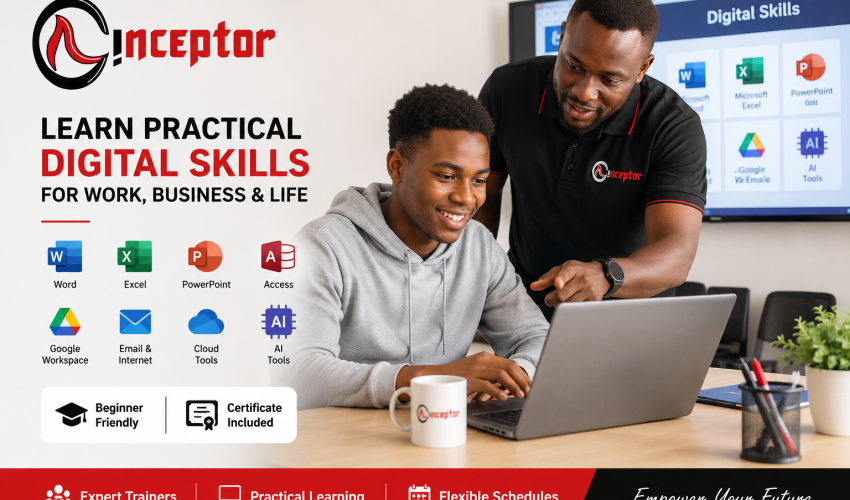
A Computer Packages Course is a short practical computer training programme that teaches learners how to use the applications and digital tools commonly required in school, offices, businesses and modern workplaces.
Instead of simply learning computer theory, you learn how to perform everyday tasks such as:
- Creating and formatting professional documents
- Preparing CVs, letters and reports
- Entering and analysing information using Excel
- Creating spreadsheets, formulas and charts
- Designing professional presentations
- Sending professional emails
- Managing files and folders
- Searching and researching information online
- Attending online meetings
- Working with cloud-based documents
- Using AI tools to improve productivity
- Protecting yourself while working online
At Inceptor, the emphasis is on learning by doing.
Why Learn Computer Packages in Kenya?
Computer literacy has become an essential skill for students, employees, entrepreneurs and job seekers.
Many administrative, customer service, accounting, sales, education and business roles require applicants to confidently work with documents, spreadsheets, presentations, email and online platforms.
Computer packages training can therefore provide an important foundation before progressing into more specialised digital skills.
For example, a learner who understands Excel can later progress into Advanced Excel and Data Analytics, while someone interested in online business can progress into Digital Marketing, Graphic Design, Web Design or Digital Product Trading.
The goal is not simply to receive a certificate.
The goal is to become confident and productive with a computer.

What You Will Learn – Computer Packages Course Curriculum
1. Introduction to Computers & Digital Literacy
Learn how computers work and how to confidently operate common digital devices.
Topics include:
- Computer hardware and software
- Input and output devices
- Desktop and laptop operation
- Basic ICT terminology
- Starting and shutting down computers correctly
- Installing and using basic applications
- Digital storage
- Basic troubleshooting
2. Windows & File Management
Learn how to efficiently work within a modern computer operating system.
You will practise:
- Creating folders
- Saving documents
- Copying and moving files
- Renaming files
- Searching for documents
- Using external storage
- Downloads and uploads
- Keyboard shortcuts
- Organising your digital workspace
These are simple skills, but they are essential in almost every modern workplace.
3. Microsoft Word – Word Processing
Learn how to create professional documents using Microsoft Word.
You will practise creating:
- CVs and resumes
- Cover letters
- Business letters
- Reports
- School assignments
- Meeting documents
- Tables
- Forms
You will also learn formatting, headers and footers, page numbering, tables, images, document layout, printing and other commonly used Word functions.
4. Microsoft Excel – Spreadsheets & Basic Data Skills
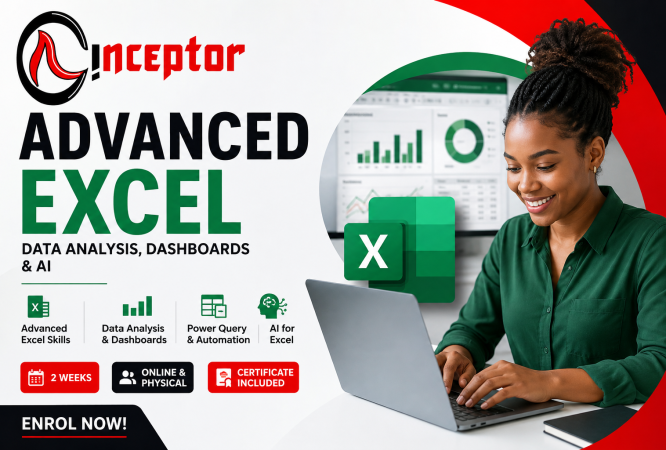
Microsoft Excel is one of the most valuable applications covered in the Computer Packages Course.
You will learn:
- Spreadsheet basics
- Rows, columns and cells
- Data entry
- Formatting
- Basic formulas
- SUM and other common functions
- Sorting and filtering
- Tables
- Charts
- Simple calculations
- Basic budgeting
- Simple business records
- Preparing reports
Practical Example
Imagine you run a small online business.
Instead of writing your sales in a notebook, you can create an Excel spreadsheet containing:
Product | Selling Price | Quantity | Revenue | Expenses | Profit
Excel can automatically calculate your totals and help you understand how the business is performing.
These foundational skills can later be developed through Advanced Excel, Data Analytics and Business Intelligence training.
5. Microsoft PowerPoint – Professional Presentations
Learn how to create clear and professional presentations for:
- School projects
- University assignments
- Business proposals
- Meetings
- Training
- Sales presentations
- Project presentations
You will learn slide layouts, images, charts, transitions, animations and presentation best practices.
6. Microsoft Access – Introduction to Databases
Learn the fundamentals of storing and managing structured information.
Topics include:
- Understanding databases
- Tables
- Fields and records
- Queries
- Forms
- Reports
- Basic database organisation
This provides a useful introduction for learners who may later pursue ICT, data management or software-related courses.
7. Basic Graphic Design & Desktop Publishing
Learn basic principles for creating simple visual and publication materials.
Practical activities may include:
- Posters
- Flyers
- Notices
- Simple advertisements
- Business documents
- Basic page layouts
This introduces learners to digital design before progressing into professional Graphic Design training.
8. Internet, Email & Online Communication
Knowing Microsoft Office alone is no longer enough.
Modern workplaces depend heavily on online communication.
You will learn:
- Effective internet browsing
- Google search techniques
- Online research
- Creating and managing email
- Sending professional emails
- Attachments
- Downloads and uploads
- Filling online forms
- Zoom and online meetings
- Digital communication etiquette
9. Google Workspace & Cloud Productivity
Modern organisations increasingly collaborate online.
Learners are introduced to tools and concepts such as:
- Google Docs
- Google Sheets
- Google Slides
- Google Drive
- Google Meet
- Cloud file storage
- File sharing
- Online collaboration
This helps bridge the gap between traditional computer packages and today’s cloud-based workplace.
10. Cyber Safety & Responsible Internet Use
Every computer user should understand basic online security.
Learn about:
- Creating strong passwords
- Phishing emails
- Suspicious links
- Malware
- Online scams
- Safe downloads
- Protecting personal information
- Responsible internet use
- Basic data protection
11. Introduction to Artificial Intelligence (AI)
Computer literacy is changing.
Modern computer users increasingly need to understand how AI tools can assist with everyday tasks.
Inceptor therefore introduces learners to Artificial Intelligence and AI productivity tools.
You will learn basic ways AI can help with:
- Drafting documents
- Brainstorming
- Research
- Summarising information
- Creating presentation outlines
- Improving written communication
- Generating ideas
- Organising information
- Learning new concepts
- Improving workplace productivity
Practical AI Example
Suppose you need to prepare a professional business proposal.
You could use an AI assistant to help develop the initial structure, prepare the document professionally in Microsoft Word, analyse the associated costs in Excel and present the final proposal using PowerPoint.
That combination of AI + Microsoft Office + human judgement represents the type of digital workflow increasingly useful in the modern workplace.
12. Basic Computer Maintenance & Troubleshooting
Learn simple techniques that can help you keep a computer functioning effectively.
Topics include:
- Basic computer care
- Software installation concepts
- Storage management
- Updates
- Antivirus and security
- Common computer problems
- Basic troubleshooting
Practical Projects You Can Complete During the Course
Rather than only learning individual software functions, learners should be able to practise real-world projects such as:
Project 1: Create a professional CV and cover letter in Microsoft Word.
Project 2: Create an Excel personal budget with automatic calculations.
Project 3: Prepare a simple business sales and expenses spreadsheet.
Project 4: Create a professional PowerPoint presentation.
Project 5: Write and send a professional email with an attachment.
Project 6: Upload, organise and share files through cloud storage.
Project 7: Use an AI tool to research and prepare an outline, then turn the information into a properly formatted document.
By the end of the course, you should have practical examples demonstrating what you can actually do with a computer.
Who Should Take the Computer Packages Course?
This course is suitable for:
KCSE Graduates
Build practical computer skills before joining university, college, TVET or entering the job market.
University and College Students
Improve your ability to prepare assignments, reports, presentations, research and spreadsheets.
Job Seekers
Develop practical digital skills commonly required in administrative and office-based positions.
Employees
Improve productivity by becoming more confident with Microsoft Office, email, online collaboration and AI tools.
Entrepreneurs and Small Business Owners
Learn to prepare quotations, documents, presentations, budgets, customer records and business reports.
Beginners
If you have little or no computer experience, this course provides a structured starting point.
What Opportunities Can Computer Packages Skills Lead To?
Computer Packages is primarily a foundation course, rather than a professional specialisation on its own.
However, the skills can support entry-level work and business activities involving:
- Office administration
- Data entry
- Reception and front-office support
- Customer service
- Records management
- Sales support
- Virtual assistance
- Online research
- Basic digital administration
- Small-business management
Your opportunities increase significantly when computer packages skills are combined with another marketable skill.
Computer Packages + Another Skill = Greater Opportunity
This is one of the most important things learners should understand.
Do not necessarily stop after learning basic computer packages.
Use them as your digital foundation.
For example:
Computer Packages + Advanced Excel → Data analysis and reporting
Computer Packages + Digital Marketing → Social media and digital marketing services
Computer Packages + Graphic Design → Content and design services
Computer Packages + Accounting → Bookkeeping and financial administration
Computer Packages + Web Design → Website creation
Computer Packages + AI → AI-assisted productivity and digital services
Computer Packages + Digital Product Trading → Create, package and sell digital knowledge products online
Can I Make Money After Learning Computer Packages?
Computer packages alone should not be presented as a guaranteed way of making money. However, the skills can become part of services or digital products people are willing to pay for.
For example, after becoming proficient you could potentially offer services such as:
- CV formatting
- Document typing and formatting
- PowerPoint presentation preparation
- Spreadsheet setup
- Data entry
- Online research
- Virtual assistance
- Basic administrative support
You can also combine these skills with AI and more specialised digital skills.
From Computer Skills to Digital Products
Another opportunity is learning how to package knowledge into useful digital resources.
For example, after developing strong Excel skills, a learner could create:
“Small Business Sales & Expense Tracker – Excel Template”
Instead of performing the same spreadsheet setup manually for every client, the learner could turn it into a reusable digital template.
Similarly, learners can eventually create:
- CV templates
- Budget spreadsheets
- Business record templates
- Presentation templates
- Checklists
- Tutorials
- Beginner guides
- Micro-courses
This introduces an important principle of the digital economy:
Learn a skill → Practise it → Solve a problem → Package the solution → Offer it as a service or digital product.
Why Study Computer Packages at Inceptor?
Inceptor’s approach focuses on practical digital skills rather than computer theory alone.
Learners benefit from:
- 100% practical training
- Beginner-friendly lessons
- Microsoft Office training
- Modern digital skills
- Introduction to AI tools
- Physical and online learning options
- Flexible class schedules
- Morning, afternoon and evening classes
- Weekend classes
- Practical assignments and projects
- Certificate upon successful completion
- Opportunity to progress into advanced digital and ICT courses
What Can I Study After Computer Packages?
After completing the course, learners can progress into areas such as:
- Advanced Microsoft Excel
- Data Analytics
- Artificial Intelligence
- Digital Marketing
- Graphic Design
- Web Design
- WordPress
- Software Development
- Python Programming
- Cybersecurity
- Computer Repair & Maintenance
- Video Production
- Digital Product Trading
Computer Packages therefore provide a strong starting point for a broader digital career.
Frequently Asked Questions About Computer Packages in Kenya
What is a Computer Packages Course?
A Computer Packages Course is a practical short course that teaches learners how to use computers and common productivity applications such as Microsoft Word, Excel and PowerPoint, together with internet, email and other digital skills.
How long does a Computer Packages Course take in Kenya?
At Inceptor, the course takes approximately one month (4 weeks).
Can I study Computer Packages online?
Yes. Inceptor offers both online and physical Computer Packages classes.
Where can I study Computer Packages in Nairobi?
Inceptor Institute of Technology offers Computer Packages training in Nairobi together with an online learning option.
Do I need computer experience before joining?
No. The programme is beginner-friendly and is suitable for learners with little or no previous computer experience.
Which computer packages should I learn?
Important foundational applications include Microsoft Word, Microsoft Excel and Microsoft PowerPoint, alongside file management, internet, email and modern cloud productivity tools.
Does the course include AI?
Yes. Inceptor’s modern Computer Packages programme includes an Introduction to Artificial Intelligence and AI productivity tools to help learners understand how AI can complement traditional computer skills.
Is Excel included in Computer Packages?
Yes. Microsoft Excel is one of the core applications covered, including spreadsheets, basic formulas, calculations, tables and charts.
Do I receive a certificate?
Yes. Learners who successfully complete the programme receive a Computer Packages Certificate from Inceptor.
Is Computer Packages useful for getting a job?
Computer literacy is useful across many office and digitally enabled occupations. However, employment is not guaranteed by a certificate alone. Combining computer packages with specialised skills such as Excel, accounting, data analytics, digital marketing, graphic design or AI can strengthen your employability.
What is the difference between Computer Packages and ICT?
Computer Packages is normally a short skills-based programme focusing on practical computer applications and digital literacy. ICT programmes are generally broader and may cover areas such as networking, programming, databases, hardware, systems and other computing concepts.
Can a KCSE graduate take Computer Packages?
Yes. Computer Packages is particularly useful for KCSE graduates preparing for university, college, employment, entrepreneurship or further digital-skills training.
Start Your Computer Packages Course in Nairobi
Digital skills are no longer optional in many areas of education, employment and business.
Whether you are preparing for college, applying for jobs, improving your workplace productivity, running a business or planning to pursue advanced technology skills, Computer Packages provides an important foundation.
At Inceptor, you don’t simply learn where to click.
You learn how to use computers, Microsoft Office, online tools and AI to solve practical problems.
Enrol for the Computer Packages Certificate Course
Duration: 1 Month
Study Mode: Physical in Nairobi or Online
Classes: Morning, Afternoon, Evening & Weekend
Training: Practical & Project-Based
Location: Inceptor Institute of Technology, Nairobi
Call/WhatsApp: 0728 456 781
Start with Computer Packages. Build your digital confidence. Progress to a marketable skill.
Apply for the next intake today.