
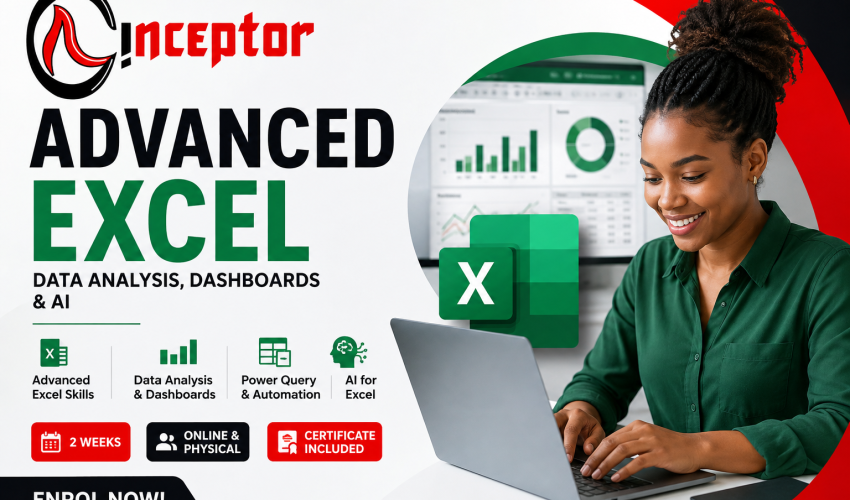
Advanced Excel Training Course in Nairobi Kenya – Data Analysis, Dashboards, Power Query & AI
Learn Advanced Excel, Analyse Real Business Data, Build Dashboards and Automate Work With AI
Advanced Excel Training in Nairobi, Kenya is a practical, career-focused course designed for students, employees, accountants, administrators, business owners, researchers and aspiring data analysts who want to use Microsoft Excel for data analysis, reporting, dashboards, automation and business decision-making.
At Inceptor Institute of Technology, you will go beyond basic spreadsheets and learn how to work with real datasets using advanced Excel formulas, XLOOKUP, PivotTables, Power Query, interactive dashboards, data cleaning, automation, macros and AI tools such as Microsoft Copilot and ChatGPT.
Whether you want to qualify for a better job, become more productive at work, move into data analytics or start offering Excel services to businesses, this course gives you practical skills that can immediately be applied in the workplace.
Course Duration: 2 Weeks
Training Mode: Physical Classes in Nairobi or Online
Training Style: 100% Practical and Project-Based
Intakes: Ongoing
Course Fee: KSh 15,000
Certification: Certificate of Completion

Why Learn Advanced Excel in Kenya?
Microsoft Excel remains one of the most widely used business tools in accounting, finance, administration, sales, logistics, HR, project management, monitoring and evaluation, research and data analysis.
However, employers increasingly expect professionals to do much more than enter information into spreadsheets.
Modern Excel users are expected to know how to:
- Clean large datasets.
- Analyse business information.
- Create management dashboards.
- Automate repetitive reports.
- Build financial models.
- Combine information from different files.
- Find trends and business insights.
- Present results visually.
- Work with Power Query.
- Prepare data for Power BI.
- Use AI to analyse and work with spreadsheets.
This means learning Advanced Excel can be useful not only for traditional office jobs but also for careers in data analytics and business intelligence.
Advanced Excel With AI: Learn the Skills Businesses Need Today
Artificial intelligence is changing the way professionals use spreadsheets.
Modern versions of Microsoft Excel can integrate AI capabilities through Microsoft Copilot, while tools such as ChatGPT can assist professionals in writing formulas, explaining spreadsheet errors, analysing datasets, suggesting visualisations and automating repetitive processes.
Instead of AI making Excel irrelevant, Excel professionals who understand both spreadsheet fundamentals and AI-assisted analysis can become significantly more productive.
During the course, learners will explore how AI can help them:
- Generate and explain Excel formulas.
- Analyse spreadsheet data.
- Identify trends and anomalies.
- Suggest suitable charts.
- Create reports faster.
- Troubleshoot Excel errors.
- Generate Power Query logic.
- Explain complicated formulas.
- Automate repetitive spreadsheet tasks.
The focus is not simply on asking AI questions. Learners are taught how to verify AI-generated results and understand the underlying Excel logic.

What You Will Learn in the Advanced Excel Course
1. Advanced Excel Formulas and Functions
Learn the formulas frequently used in professional spreadsheets and business analysis.
Topics include:
- XLOOKUP
- VLOOKUP
- INDEX and MATCH
- IF and nested IF
- IFS
- SUMIF and SUMIFS
- COUNTIF and COUNTIFS
- AVERAGEIF
- IFERROR
- TEXT functions
- DATE and TIME functions
- Logical functions
- Lookup functions
- Dynamic formulas
- Conditional calculations
- Combining multiple formulas
You will learn how to choose the correct formula for different business problems instead of simply memorising formulas.
2. Data Cleaning and Preparation
Real-world business data is rarely clean.
You will learn practical techniques for turning messy information into datasets that can be analysed.
Learn how to:
- Remove duplicates.
- Identify missing data.
- Separate and combine columns.
- Standardise dates.
- Clean text.
- Correct formatting problems.
- Validate data.
- Find inconsistencies.
- Handle errors.
- Prepare datasets for reporting.
These skills are particularly valuable for data analysts, accountants, researchers, administrators and M&E professionals.
3. Power Query – Get & Transform Data
Power Query is becoming one of the most important Excel skills for professionals working with large or repetitive datasets.
You will learn how to:
- Import CSV files.
- Import data from other Excel files.
- Transform datasets.
- Merge tables.
- Append datasets.
- Remove unnecessary information.
- Change data types.
- Automate data-cleaning processes.
- Combine multiple monthly reports.
- Refresh reports when new data arrives.
Instead of manually cleaning the same report every month, you can build a process once and simply refresh the data.
4. PivotTables and PivotCharts
Learn how to convert thousands of spreadsheet rows into useful management information.
You will learn:
- Creating PivotTables.
- Grouping data.
- Filtering results.
- Calculated fields.
- Slicers.
- Timelines.
- PivotCharts.
- Comparing departments, products or regions.
- Analysing monthly and annual performance.
PivotTables are especially valuable in finance, sales, operations, HR and management reporting.
5. Excel Dashboards and Data Visualisation
Learn how to turn raw data into professional dashboards that managers can understand quickly.
You will create:
- Sales dashboards.
- Financial dashboards.
- Expense dashboards.
- HR dashboards.
- Inventory dashboards.
- KPI dashboards.
- Project performance dashboards.
Learn how to use:
- Charts
- PivotCharts
- Slicers
- Conditional formatting
- KPI indicators
- Dynamic titles
- Interactive filters
The goal is to help learners move from simply presenting numbers to telling a story with data.
6. Excel Automation, Macros and VBA
Many employees spend hours every week repeating tasks that Excel can automate.
Learn how to:
- Record macros.
- Run macros.
- Automate repetitive Excel processes.
- Modify simple macros.
- Understand VBA basics.
- Create automated reports.
- Automate formatting.
- Automate repetitive calculations.
You do not need to become a software programmer to benefit from Excel automation.
7. Excel for Financial Analysis and Budgeting
Learn how Excel is applied in accounting and finance.
Practical exercises may include:
- Budget preparation.
- Cash-flow tracking.
- Expense analysis.
- Revenue analysis.
- Profit calculations.
- Financial projections.
- Variance analysis.
- Loan calculations.
- Scenario analysis.
- Financial dashboards.
This module is particularly useful for accountants, finance professionals, entrepreneurs and business managers.
8. Excel for Business and Management Reporting
Learn how organisations convert operational data into useful management reports.
Projects may include:
- Monthly management reports.
- Sales performance reports.
- Employee performance reports.
- Stock and inventory reports.
- Procurement reports.
- Project reports.
- Customer analysis.
- Business KPI reports.
9. AI and Copilot for Excel
Learn how AI is changing spreadsheet analysis.
Topics include:
- Using Microsoft Copilot with Excel.
- Using ChatGPT to generate Excel formulas.
- Explaining complicated formulas with AI.
- Finding errors using AI.
- Asking AI questions about datasets.
- Generating ideas for dashboards.
- Creating formulas from natural-language instructions.
- AI-assisted data analysis.
- Using AI to document spreadsheet models.
- Responsible verification of AI-generated calculations.
10. Introduction to Excel, Power BI and Business Intelligence
Advanced Excel is an excellent foundation for learners who want to progress into Power BI and data analytics.
You will understand:
Raw Data → Power Query → Data Model → Analysis → Dashboard → Business Decision
Learners interested in becoming Data Analysts can therefore progress from Advanced Excel into tools such as:
- Power BI
- SQL
- Python
- Data visualisation
- Business intelligence
Practical Advanced Excel Projects
The course uses practical projects rather than relying only on theoretical lessons.
Learners may complete projects such as:
Project 1: Sales Performance Dashboard
Analyse a dataset containing sales from several products, salespeople and regions.
You will determine:
- Total revenue.
- Best-selling products.
- Top salesperson.
- Best-performing branch.
- Monthly sales trends.
- Profit margins.
You will then present the findings through an interactive dashboard.
Project 2: Automated Monthly Report
Import several monthly Excel or CSV reports with Power Query, clean the information and create a report that updates whenever new data is added.
Project 3: Business Expense Analysis
Analyse company expenditure and identify:
- Highest expense categories.
- Monthly spending patterns.
- Budget variances.
- Departments exceeding budget.
Project 4: Management KPI Dashboard
Develop a simple executive dashboard showing major KPIs and performance trends.
These projects can also form part of your Excel portfolio when applying for jobs or freelance assignments.
Career Opportunities After Learning Advanced Excel
Advanced Excel can support many different career paths.
Potential roles include:
- Data Analyst
- Junior Data Analyst
- Business Analyst
- MIS Analyst
- Reporting Analyst
- Financial Analyst
- Accountant
- Accounts Assistant
- Finance Officer
- Administrative Officer
- Operations Analyst
- Sales Analyst
- Inventory Analyst
- Procurement Officer
- Project Officer
- Monitoring and Evaluation Assistant
- Research Assistant
- HR Analyst
- Business Intelligence Assistant
Advanced Excel is also commonly used by managers and entrepreneurs who may not have “Excel” or “Data Analyst” in their job title.
Can Advanced Excel Help You Become a Data Analyst?
Yes.
Advanced Excel is one of the most practical starting points for someone interested in data analytics.
A typical learning path can be:
Advanced Excel → Power Query → Power BI → SQL → Python
You do not necessarily need to learn everything at once.
Excel allows beginners to start working with real business data before progressing into more specialised analytics tools.
Opportunities for Freelancers and Online Workers
Advanced Excel is also a skill that can be offered independently.
Businesses, NGOs, researchers and entrepreneurs frequently need assistance with spreadsheets.
A freelancer can offer services such as:
- Spreadsheet data cleaning.
- Dashboard creation.
- Financial modelling.
- Excel template development.
- Inventory systems.
- Automated reports.
- PivotTable analysis.
- Data formatting.
- Survey data preparation.
- Business reporting.
- Expense trackers.
- Budget templates.
These services may be offered directly to local businesses or through freelance marketplaces.
Create and Sell Excel Digital Products
Advanced Excel skills can also be converted into digital products.
For example, someone who understands Excel can create:
- Business budget templates.
- Personal finance trackers.
- Inventory management templates.
- Sales trackers.
- Invoice templates.
- Payroll calculators.
- Expense trackers.
- Project-management templates.
- Student marksheets.
- Small-business dashboards.
- Financial planning spreadsheets.
Instead of completing the same spreadsheet repeatedly for different customers, you can create a useful template once and sell copies online.
Realistic Illustration: How Advanced Excel Skills Can Create an Opportunity
Consider Brian, a 25-year-old business administration graduate in Nairobi.
He currently works as an administrative assistant in a small distribution company.
Every Friday his manager receives sales spreadsheets from five sales representatives.
Brian manually copies all the information into one workbook and spends approximately three hours preparing the weekly report.
After completing Advanced Excel training, Brian learns Power Query, PivotTables, XLOOKUP and dashboard development.
He builds a reporting system where the five sales files are placed inside one folder.
Power Query automatically combines them.
His PivotTables calculate:
- Sales by representative.
- Sales by product.
- Sales by region.
- Weekly revenue.
- Monthly growth.
The dashboard automatically updates when he presses Refresh.
A task that previously required several hours can now be completed in minutes.
Brian can demonstrate this project when applying for roles such as:
MIS Assistant → Reporting Analyst → Junior Data Analyst
He can also modify the same skills to create a sales dashboard template for small businesses and offer it as a freelance service or digital product.
This illustrates an important difference:
Learning Excel formulas is useful. Learning how to solve business problems using Excel is what creates marketable value.
Who Should Take This Advanced Excel Course?
This course is suitable for:
Students and Graduates
Build a practical employability skill and prepare for careers involving data, finance, administration and analytics.
Accountants and Finance Professionals
Improve financial reporting, budgeting, reconciliation, modelling and analysis.
Data Analysts and Aspiring Data Analysts
Develop a strong Excel and Power Query foundation before moving into Power BI, SQL or Python.
Administrators
Automate reports, manage records and analyse organisational information.
Business Owners and Entrepreneurs
Track sales, expenses, inventory, customers and business performance.
HR Professionals
Analyse employee, payroll, attendance and performance information.
Project Managers
Create budgets, trackers, timelines and project performance reports.
Researchers and M&E Professionals
Clean, organise, analyse and report survey or programme data.
Sales and Marketing Professionals
Analyse customers, sales performance, products and market trends.
Advanced Excel Course Outline
Module 1: Excel Fundamentals Refresher
- Workbook structure
- Tables and ranges
- Relative and absolute references
- Data formatting
- Excel shortcuts
- Efficient workbook navigation
Module 2: Advanced Formulas
- IF
- IFS
- SUMIFS
- COUNTIFS
- XLOOKUP
- VLOOKUP
- INDEX MATCH
- IFERROR
- Date functions
- Text functions
- Dynamic formulas
Module 3: Data Cleaning
- Removing duplicates
- Text cleaning
- Error handling
- Flash Fill
- Text-to-columns
- Data validation
- Standardising datasets
Module 4: Power Query
- Importing datasets
- Transforming data
- Merging tables
- Appending tables
- Combining multiple files
- Refreshable reports
Module 5: PivotTables
- Creating PivotTables
- Grouping
- Filters
- Slicers
- PivotCharts
- Calculated fields
Module 6: Data Visualisation
- Charts
- Conditional formatting
- KPI design
- Dashboard principles
- Interactive reports
Module 7: Excel Dashboards
- Dashboard planning
- Sales dashboards
- Financial dashboards
- KPI dashboards
- Dynamic reporting
Module 8: Macros and Automation
- Recording macros
- Editing macros
- VBA fundamentals
- Automating repetitive processes
Module 9: AI for Excel
- ChatGPT for Excel
- Microsoft Copilot
- AI-generated formulas
- AI-assisted analysis
- AI-assisted troubleshooting
- Prompting techniques
- Verifying AI results
Module 10: Career Project
Learners complete an end-to-end data analysis project involving:
Raw Data → Cleaning → Analysis → Dashboard → Business Insights
What You Should Be Able to Do After the Course
By the end of the Advanced Excel Training Course, you should be able to:
- Analyse large datasets.
- Use advanced Excel formulas confidently.
- Use XLOOKUP and INDEX MATCH.
- Build PivotTables.
- Clean business data.
- Use Power Query.
- Create interactive Excel dashboards.
- Automate repetitive work.
- Build business reports.
- Perform basic financial analysis.
- Use AI with Excel responsibly.
- Present insights from data.
- Prepare data for Power BI.
- Develop an Excel portfolio project.
Why Study Advanced Excel at Inceptor Institute of Technology?
100% Practical Training
You learn by working with actual spreadsheets and business scenarios.
Physical and Online Classes
Attend training at Inceptor in Nairobi or learn remotely.
Flexible Training Sessions
Morning, afternoon, evening and weekend sessions are available.
Career-Focused Skills
Training concentrates on skills that can be demonstrated to employers and clients.
Project-Based Learning
Build practical Excel projects instead of learning formulas in isolation.
Experienced Trainers
Learn practical approaches to using Excel for business and professional environments.
Advanced Excel Course Requirements
You do not need a degree in computer science or statistics.
Recommended requirements are:
- Basic computer skills.
- Basic knowledge of Microsoft Excel.
- Interest in data, reporting or improving workplace productivity.
Students, graduates and working professionals can enrol.
Frequently Asked Questions About Advanced Excel Training in Kenya
Is Advanced Excel marketable in Kenya?
Yes. Excel is widely used in finance, accounting, administration, logistics, sales, research, HR, project management and data analytics. Advanced Excel is particularly valuable when combined with Power Query, dashboard development and Power BI.
What advanced Excel skills should I learn?
Some of the most useful skills include XLOOKUP, INDEX MATCH, SUMIFS, PivotTables, PivotCharts, Power Query, dashboards, data cleaning, macros and automation.
Can I learn Advanced Excel in two weeks?
Yes. A focused two-week practical programme can provide a strong working foundation, particularly when learners already understand basic Excel. Continued practice after training remains essential.
Do Data Analysts use Excel?
Yes. Excel continues to be widely used for data cleaning, exploratory analysis, business reporting and ad-hoc analysis. Data analysts commonly combine it with tools such as Power BI, SQL and Python.
Do I need programming knowledge?
No. Programming knowledge is not required to begin Advanced Excel training.
Does the course teach Power Query?
Yes. Power Query is included because it is extremely useful for cleaning, transforming and combining datasets.
Does the course include AI?
Yes. Learners are introduced to practical ways of using tools such as Microsoft Copilot and ChatGPT with Excel while learning how to verify AI-generated results.
Can Advanced Excel help me work online?
Yes. Excel-related services such as data cleaning, spreadsheet development, financial modelling, dashboard design and business reporting can be offered as freelance services.
Can I create digital products using Excel?
Yes. Excel templates such as budget planners, sales trackers, inventory systems, financial calculators and dashboards can be packaged and sold as digital products.
Is Excel enough to become a Data Analyst?
Excel provides an excellent foundation, but learners targeting professional Data Analyst positions should progressively add tools such as Power BI, SQL and eventually Python.
Start Your Advanced Excel Training in Nairobi
Do not learn Excel simply to add another certificate to your CV.
Learn Excel to solve real business problems.
Build the ability to clean data, analyse information, automate reports, create dashboards and communicate insights that organisations can use to make decisions.
Whether your objective is to:
- Get your first office job.
- Become better at your current job.
- Transition into data analytics.
- Improve your accounting or finance skills.
- Become a freelancer.
- Create and sell spreadsheet templates.
Advanced Excel can provide an immediately applicable digital skill.
Enrol for Advanced Excel Training at Inceptor Institute of Technology
Duration: 2 Weeks
Fee: KSh 15,000
Mode: Physical Training in Nairobi or Online
Intakes: Ongoing
Training: Practical and Project-Based
Call/WhatsApp: 0728 456 781
Location: Hazina Towers, 18th Floor, Utalii Lane, Nairobi.
Build Skills. Analyse Data. Automate Work. Create Opportunities.
Start your Advanced Excel training with Inceptor today.
ONLINE APPLICATION FORM

You might be interested in