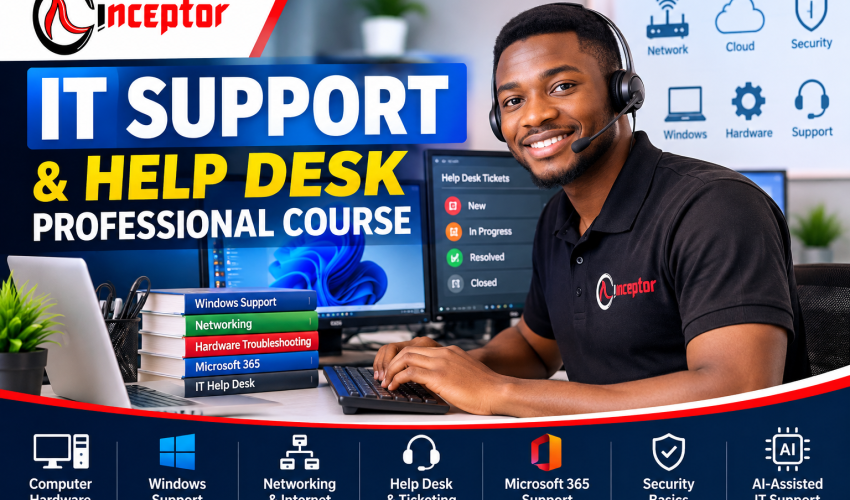
IT Support & Help Desk Professional Course in Kenya
Get unlimited access to all learning content and premium assets Membership Pro
IT Support & Help Desk Professional Course in Kenya – Practical Training in Nairobi & Online
Technology keeps businesses running – but when computers slow down, Wi-Fi stops working, employees cannot access accounts, printers fail, software crashes, or users cannot connect to company systems, someone has to diagnose the problem and restore productivity.
That is the role of an IT Support and Help Desk Professional.
The IT Support & Help Desk Professional Course at Inceptor Institute of Technology is a 6-week, hands-on program designed to develop practical skills in computer hardware, Windows support, networking, troubleshooting, Help Desk operations, Microsoft 365, basic cybersecurity, remote support, technical documentation and AI-assisted IT support.
The course is specifically structured as beginner-friendly while progressing toward professional support workflows. The supplied course specification sets the fee at KSh 25,000 and provides three study options: physical classroom training in Nairobi, instructor-led online training, or a self-paced AI tutorial-enabled course book. Pasted text
Whether you are a KCSE graduate, university or college student, job seeker, career changer, ICT student, entrepreneur or someone who is already the person friends call when their laptop refuses to work, this course is designed to help you move from simply “knowing computers” to systematically diagnosing, solving and documenting IT problems.
IT Support & Help Desk Course Overview
| Course Detail | Information |
| Course | IT Support & Help Desk Professional |
| Duration | 8 Weeks |
| Course Fee | KSh 30,000 |
| Level | Beginner to Intermediate |
| Physical Training | Nairobi |
| Online Training | Instructor-Led Online |
| Self-Paced Option | AI Tutorial-Enabled Course Book |
| Training Model | Comprehensive Hands-On Training |
| Projects | Practical Real-World IT Support Projects |
| Certification | Certificate after successful completion |
| Skills Evidence | Projects + Project Profiling |
The objective is straightforward:
Learn → Troubleshoot → Solve → Build Projects → Document Your Skills → Create Opportunities
What Is IT Support & Help Desk?
IT Support involves helping people and organisations use computers, software, networks, accounts, devices and other technology effectively.
A Help Desk professional is often the first person contacted when a user experiences a technical problem.
For example:
“My laptop has become extremely slow.”
“I cannot connect to the office Wi-Fi.”
“Outlook is not receiving emails.”
“I forgot my password.”
“The printer is showing offline.”
“I installed an application and now Windows keeps crashing.”
“I can access the internet but not the company system.”
The IT Support professional does not simply guess.
You learn to identify symptoms → gather information → establish possible causes → test systematically → implement a solution → verify that it works → document what happened.
Tier 1, Tier 2 and Tier 3 Support
Tier 1 / Level 1 handles common frontline issues such as password resets, basic software problems, connectivity issues and user guidance.
Tier 2 normally handles more complex technical problems that require deeper troubleshooting and system knowledge.
Tier 3 typically involves advanced specialists, engineers, administrators or developers handling complex infrastructure, application or system-level problems.
This course concentrates primarily on developing strong foundational and frontline IT Support skills while introducing concepts that prepare learners for more advanced technology pathways.
What You Will Learn – 6-Week Practical Curriculum
Week 1: IT Support Foundations & Computer Hardware
Start by understanding how computers actually work.
You will explore the role of an IT Support professional and the differences between a Help Desk, Service Desk, Desktop Support and technical support environment.
Topics include:
- Computer hardware fundamentals
- CPU and processor concepts
- RAM and memory
- Motherboards
- HDD vs SSD storage
- Power supplies
- Displays and monitors
- Keyboards and mice
- USB devices
- Printers
- Peripheral configuration
- Laptop and desktop components
- Hardware diagnosis
- Preventive maintenance
- Basic upgrades
- Common hardware failures
- Structured hardware troubleshooting
Practical Lab
Students work through scenarios such as:
Computer won’t start → identify possible causes → test components → isolate the problem → document findings.
The emphasis is not merely identifying computer parts. You learn how those components relate to real troubleshooting.
Week 2: Windows, Operating Systems & Software Support
A large part of frontline IT support involves operating-system and application problems.
You will learn how to install, configure, maintain and troubleshoot Windows-based computers.
Topics include:
- Windows installation
- Windows configuration
- User accounts
- File systems
- Device drivers
- Device Manager
- Task Manager
- Disk Management
- Windows updates
- Software installation
- Application troubleshooting
- Startup problems
- Performance problems
- Backup and restore
- System recovery
- File and folder permissions
- Basic command-line troubleshooting
- Common Windows errors
Troubleshooting Scenario
A user reports:
“My laptop takes forever to start and freezes whenever I open several applications.”
Instead of immediately recommending a new computer, you learn how to investigate CPU, memory, disk utilisation, startup programs, available storage, software problems and other potential causes systematically.
Week 3: Networking & Internet Troubleshooting
Knowing how to troubleshoot connectivity is a fundamental IT Support skill.
You will learn what happens between a user’s computer, the local network and internet services.
Topics include:
- Networking fundamentals
- LAN and WAN
- Ethernet
- Wi-Fi
- Routers
- Switches
- Network adapters
- IP addresses
- TCP/IP
- DHCP
- DNS
- Default gateways
- Basic subnet concepts
- ipconfig
- ping
- tracert
- nslookup
- Wi-Fi troubleshooting
- Internet troubleshooting
- Network printer troubleshooting
- Remote connectivity
- Basic network security
Practical Exercise
A user says:
“My colleagues have internet, but my laptop doesn’t.”
You investigate the problem systematically:
Physical/Wireless Connection → Network Adapter → IP Configuration → Gateway → DNS → Connectivity Tests → Resolution
This develops troubleshooting logic rather than dependence on memorised fixes.
Week 4: Help Desk Operations, Ticketing & User Support
Technical knowledge alone does not make someone an effective Help Desk professional.
You also need to understand how professional support environments manage incidents and communicate with users.
Topics include:
- How Help Desks operate
- Service Desk concepts
- Incident management
- Service requests
- Ticket creation
- Ticket categorisation
- Ticket prioritisation
- Escalation
- Service Level Agreements (SLAs)
- Troubleshooting methodology
- Root-cause thinking
- Knowledge bases
- Technical documentation
- Remote support
- Telephone support
- Email support
- Professional communication
- Supporting frustrated users
- Writing effective ticket notes
Help Desk Simulation
Students receive simulated tickets such as:
Priority: Medium
User Problem: Cannot print
Device: Windows laptop
Printer: Network printer
Reported Symptom: Printer showing offline
You must investigate, troubleshoot, resolve or appropriately escalate the issue and document the process.
The supplied course specification specifically requires mock Help Desk tickets that learners resolve and document. Pasted text
Week 5: Microsoft 365, Accounts, Security & Modern Workplace Support
Modern IT Support increasingly extends beyond fixing individual computers.
Employees depend on email, cloud productivity tools, user accounts, collaboration systems and secure access.
Topics include:
- Microsoft 365 support concepts
- Outlook fundamentals
- Email troubleshooting
- Microsoft Teams support
- OneDrive fundamentals
- User accounts
- Password resets
- Multi-factor authentication
- Permissions
- Access troubleshooting
- Active Directory fundamentals
- Microsoft Entra ID concepts
- Endpoint/device-management concepts
- Malware awareness
- Phishing awareness
- Antivirus and endpoint security
- Password security
- Data protection
- Backup principles
- Safe remote support
Active Directory, Entra ID and endpoint management are covered at a foundational support level, rather than presenting this six-week course as advanced systems-administrator training.
Week 6: AI-Assisted IT Support + Career & Capstone Project
AI is increasingly useful as an assistant in technical troubleshooting, documentation and knowledge management.
Students learn practical ways of incorporating AI into IT Support workflows.
You can learn how to use AI to help:
- Interpret error messages
- Generate troubleshooting hypotheses
- Build troubleshooting checklists
- Explain unfamiliar technical concepts
- Draft knowledge-base articles
- Summarise ticket histories
- Produce user instructions
- Improve technical documentation
- Draft professional support emails
- Analyse appropriately sanitised logs
- Build reusable troubleshooting workflows
The principle is:
AI assists the technician. It does not replace technical verification.
Students should verify AI-generated recommendations before applying them and avoid entering confidential client, employee, credential or organisational information into inappropriate public AI systems.
Don’t Just Say You Know IT Support – Show What You Can Do
Practical projects are a major component of the course design. The objective is to leave training with evidence of what you have practised—not only a list of topics studied.
Project 1: Build & Configure a Workstation
Configure a workstation from operating-system installation through applications, user accounts, security settings and network connectivity.
Project 2: Diagnose a Slow Computer
Investigate a simulated slow computer using a structured diagnostic process and document the problem, tests, solution and verification.
Project 3: Troubleshoot a Network Problem
Diagnose why a simulated user cannot access the internet or required network resources.
Project 4: Help Desk Ticket Simulation
Receive, categorise, prioritise, troubleshoot, document and close realistic IT support tickets.
Project 5: New Employee IT Onboarding
Create an IT onboarding process involving workstation preparation, accounts, productivity tools and basic security.
Project 6: IT Support Knowledge Base
Build a small knowledge base documenting solutions to common technical problems.
Final Capstone: Small Business IT Support Environment
Act as the IT Support professional responsible for a simulated small organisation.
The environment brings together:
Hardware + Software + Windows + Networking + Accounts + Security + Users + Documentation
These projects are part of the specified practical project model for the program. Pasted text
Build an IT Support Project Portfolio
A certificate tells someone that you completed training.
A well-documented project can demonstrate what you actually did.
Students can profile suitable projects using a structure such as:
Problem → Environment → Symptoms → Diagnostic Process → Tools Used → Solution → Verification → Documentation → Lessons Learned
For example, instead of simply writing:
“I know network troubleshooting.”
you could document a simulated networking project showing the initial connectivity problem, diagnostic commands used, findings, resolution and verification.
This type of project profiling can provide useful supporting evidence when pursuing internships, employment or freelance opportunities, although it does not guarantee selection or employment.
Career Opportunities After IT Support & Help Desk Training
Depending on a person’s wider qualifications, demonstrated skills, experience and an employer’s requirements, IT Support training can contribute toward roles such as:
- IT Support Technician
- Help Desk Technician
- Help Desk Analyst
- Service Desk Analyst
- Desktop Support Technician
- Technical Support Specialist
- ICT Support Assistant
- Computer Support Technician
- Field Support Technician
- Junior Systems Support
- Junior Network Support
- IT Support Intern
- Remote Technical Support
- Customer Technical Support
A particularly useful aspect of IT Support is that the underlying troubleshooting skills can provide foundations for more specialised IT disciplines.
Where Can IT Support Skills Take You?
One possible progression is:
IT Support → Desktop Support → System Administration → Network Administration → Cloud Support / Cybersecurity / Infrastructure
Depending on your career goals, you can later deepen your skills in networking, CCNA, system administration, Microsoft administration, cloud computing, cybersecurity, SOC operations, infrastructure or DevOps.
Explore related programs through Inceptor’s Computer Networking Course and Inceptor’s Cybersecurity Course.
Can You Freelance With IT Support Skills?
Potentially, yes.
Once you have developed sufficient competence, IT Support skills can also be applied outside conventional employment.
Potential services include computer setup, software installation, Windows troubleshooting, computer maintenance, printer configuration, Wi-Fi troubleshooting, small-office technology setup, remote technical support, basic network support, user onboarding and IT documentation.
Small businesses without full-time internal IT teams may also use external technical-support providers.
The appropriate services you can offer depend on your competence, experience and the complexity of the client’s environment.
Turn Your IT Support Knowledge Into Digital Products
There is another potential opportunity that traditional IT courses often overlook: turning repeatable technical knowledge into structured knowledge products.
An IT technician may solve the same kinds of problems repeatedly.
Instead of allowing that knowledge to remain only in your head, suitable expertise can be documented and packaged.
For example:
Laptop Troubleshooting Guide
Windows Troubleshooting Checklist
Home Wi-Fi Troubleshooting Guide
Small Business IT Setup Checklist
Computer Maintenance Checklist
New Employee IT Onboarding Template
Help Desk Ticket Templates
IT Support SOP Templates
Printer Troubleshooting Guide
Password Security Guide
Computer Backup Checklist
Remote IT Support Checklist
Basic Cybersecurity Guide for Small Businesses
Microsoft 365 Quick-Start Guide
IT Support AI Prompt Pack
This creates another pathway:
LEARN → PRACTISE → SOLVE → DOCUMENT → PACKAGE → SELL
People with genuine knowledge can potentially package what they know into PDF guides, checklists, SOPs, templates, troubleshooting flowcharts, tutorials, AI prompt packs, micro-courses and digital toolkits.
Platforms such as VEZILL can then provide a marketplace for distributing practical digital knowledge products.
Digital-product creation should be based on knowledge you are qualified to share, with accurate information and appropriate rights to any material used. Sales and income are not guaranteed.
Who Should Take the IT Support Course?
This course may be suitable for KCSE graduates exploring technology careers, university and college students seeking practical IT skills, ICT students wanting additional hands-on experience, job seekers, career changers, office administrators, entrepreneurs, freelancers and people considering future specialisation in networking, cloud computing or cybersecurity.
It can also suit the person who is already informally called whenever someone’s computer, printer or Wi-Fi stops working and wants to turn that informal ability into a more structured troubleshooting skillset.
Do I Need Previous IT Experience?
The program is designed to be beginner-friendly.
You start with computer and IT Support fundamentals and progressively move into Windows, networking, Help Desk workflows, Microsoft workplace support, cybersecurity fundamentals, AI-assisted troubleshooting and practical projects.
Choose How You Want to Learn
Physical Classroom Training – Nairobi
Learn through face-to-face instructor interaction, demonstrations, practical exercises, troubleshooting labs and collaborative learning.
Instructor-Led Online Training
Attend instructor-guided training remotely while completing demonstrations, exercises and practical activities.
This can suit learners outside Nairobi or those who need greater location flexibility.
Self-Paced AI Tutorial-Enabled Course Book
Learn through structured course material at your own pace with AI-enabled tutorial support where provided.
AI serves as a learning aid; it does not replace the value of professional instruction, practical experimentation and verification.
Why Study IT Support at Inceptor?
The course is structured around the principle that technology education should extend beyond theory.
The emphasis is:
LEARN → BUILD → EARN
That means developing practical skills, applying them through hands-on exercises, building real-world projects, documenting those projects and understanding different ways technical knowledge can create professional or entrepreneurial opportunities.
Explore Inceptor Institute of Technology, learn more About Inceptor or review the Inceptor Course Structure.
IT Support Course Fee & Duration
Course: IT Support & Help Desk Professional
Duration: 8 Weeks
Course Fee: KSh 30,000
These are the fee and duration specified for this course. Pasted text
IT Support Certification
Students who successfully complete the required course activities and assessments receive an Inceptor course certificate.
The intended value proposition is:
Certificate + Practical Skills + Projects + Portfolio Evidence
The course should not be confused with vendor certifications from organisations such as Microsoft, Cisco or CompTIA unless a specific external certification is separately stated.
Frequently Asked Questions
What is an IT Support and Help Desk course?
It is training designed to teach you how to assist users with computer hardware, operating systems, software, networks, accounts and other common technology problems. Professional Help Desk training also covers ticket handling, troubleshooting methodology, documentation, escalation and user communication.
Is IT Support a good starting point for an IT career?
IT Support develops foundational skills across hardware, operating systems, networking, accounts, security and troubleshooting. These foundations can later support progression into areas such as networking, system administration, cloud computing and cybersecurity.
Can I study IT Support in Kenya without previous IT experience?
Yes. This Inceptor course is structured as beginner-friendly and progresses from IT Support and computer fundamentals toward more professional troubleshooting workflows. Pasted text
How long is the Inceptor IT Support course?
The IT Support & Help Desk Professional course takes 6 weeks.
How much is the IT Support course?
The specified course fee is KSh 30,000.
Can I study IT Support online?
Yes. Instructor-led online training is one of the available study modes.
Is physical IT Support training available in Nairobi?
Yes. Physical classroom training in Nairobi is one of the stated delivery options.
Does Inceptor offer a self-paced IT Support option?
Yes. The course specification includes a self-paced AI tutorial-enabled course book option.
What practical skills will I learn?
The curriculum covers computer hardware, Windows, software troubleshooting, networking, Wi-Fi, Help Desk ticketing, Microsoft 365 concepts, accounts, cybersecurity fundamentals, remote support, documentation and AI-assisted IT support.
Does the course cover networking?
Yes. Networking fundamentals include LAN/WAN concepts, routers, switches, TCP/IP, IP addresses, DHCP, DNS, gateways, Wi-Fi and connectivity troubleshooting.
Will I learn Microsoft 365 support?
Yes. The curriculum includes foundational Microsoft 365, Outlook, Teams, OneDrive and account-support concepts.
Does the course cover Active Directory?
Yes, at a foundational support level. Active Directory and Microsoft Entra ID concepts are introduced rather than presented as advanced administrator training.
Does the course include AI for IT Support?
Yes. Students learn responsible ways of using AI to assist troubleshooting, interpret errors, develop checklists, improve documentation, create knowledge-base material and support technical communication.
What jobs can I pursue after the training?
Depending on your wider qualifications, experience and employer requirements, relevant pathways may include IT Support Technician, Help Desk Technician, Service Desk Analyst, Desktop Support Technician, ICT Support Assistant, Technical Support Specialist and related junior support roles.
Can IT Support lead to cybersecurity?
IT Support can provide useful foundations in operating systems, networking, user accounts, troubleshooting and security. Additional specialised cybersecurity training and experience would normally be required for dedicated cybersecurity roles.
Can IT Support lead to cloud computing?
Yes. Knowledge of operating systems, networking, accounts, troubleshooting and technical support can provide useful foundations before progressing into cloud administration and support.
Can I freelance with IT Support skills?
Potentially. Competent technicians may provide services such as computer setup, troubleshooting, maintenance, software installation, Wi-Fi support, printer configuration and remote technical support. Appropriate scope depends on competence and experience.
Do I receive a certificate?
Students who successfully complete the required course activities and assessments receive an Inceptor course certificate.
Will I build practical projects?
Yes. The specified program includes workstation configuration, computer troubleshooting, network troubleshooting, Help Desk simulations, IT onboarding, knowledge-base development and a final small-business IT Support capstone. Pasted text
Can I create digital products from IT Support knowledge?
Yes. Once you have genuine expertise, repeatable technical solutions can potentially be structured into educational guides, checklists, templates, SOPs, tutorials, troubleshooting flowcharts and other knowledge products.
Where can I sell IT Support guides and templates?
Knowledge-product marketplaces such as VEZILL can be used to list suitable digital knowledge products.
Start Your IT Support Career With Practical Skills
You do not have to begin your technology journey by trying to master everything in IT.
Start by learning how computers, software, networks and users interact—and how to solve the problems that occur between them.
Learn → Troubleshoot → Practise → Build → Profile Your Skills → Create Opportunities
Course: IT Support & Help Desk Professional
Duration: 8 Weeks
Course Fee: KSh 30,000
Training: Physical Classroom in Nairobi | Instructor-Led Online | Self-Paced AI Tutorial-Enabled Course Book
Training Model: Hands-On + Practical Real-World Projects
Certification: Inceptor Certificate after successful completion
Explore Inceptor Institute of Technology and enrolment options

Get unlimited access to all learning content and premium assets Membership Pro