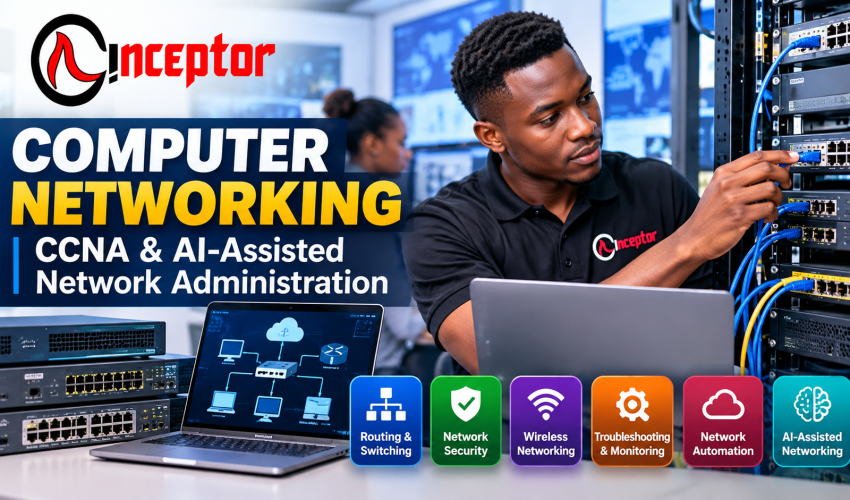
Computer Networking + CCNA & AI-Assisted Network Administration Course in Kenya
Practical CCNA Networking Training in Nairobi & Online
Want to learn computer networking, CCNA, network configuration, troubleshooting, network security and modern network automation skills?
The Computer Networking + CCNA & AI-Assisted Network Administration Course at Inceptor Institute of Technology is a comprehensive, hands-on training program designed to help learners build practical skills for installing, configuring, managing, securing and troubleshooting modern computer networks.
Whether you are a beginner, student, IT professional, technician or career changer, this course takes you from networking fundamentals to practical router and switch configuration, IP addressing, VLANs, routing, wireless networking, security, troubleshooting, automation and AI-assisted network administration.
The training also prepares learners around the core knowledge areas associated with the Cisco CCNA 200-301 certification pathway.
You don’t just study networking theory.
You configure networks, troubleshoot problems, complete practical projects and build evidence of what you can actually do.
Quick Course Information
Course: Computer Networking + CCNA & AI-Assisted Network Administration
Duration: 3 Months / 12 Weeks
Course Fee: KSh 120,000
Level: Beginner to Intermediate
Training Model: Comprehensive Hands-On Training + Practical Real-World Projects
Training Options: Physical Classroom / Instructor-Led Online Training
Location: Inceptor Institute of Technology, Nairobi
Schedule: Morning, Afternoon, Evening & Weekend Classes
Intakes: Ongoing / Scheduled Intakes
Certificate: Certificate awarded upon successful completion
Assessment: Practical exercises + assignments + networking projects + project profiling
Certification Preparation: CCNA 200-301 aligned networking knowledge and practical skills

What Is Computer Networking?
Computer networking is the process of connecting computers, servers, mobile devices, routers, switches, wireless access points and other devices so that they can communicate and share information and resources.
Modern organizations depend on networks for:
- Internet connectivity
- Business applications
- Cloud services
- Email and communication
- File sharing
- Cybersecurity
- Remote working
- Wi-Fi
- Servers
- Data access
- Digital services
This creates opportunities for people who understand how to design, configure, secure, monitor and troubleshoot computer networks.
The Inceptor Computer Networking Course focuses on those practical skills.
Why Learn Computer Networking in 2027?
Almost every modern organization relies on connected technology.
Schools, hospitals, banks, SMEs, government institutions, universities, hotels, internet service providers, technology companies and multinational organizations require reliable networks to operate.
At the same time, networking is evolving.
Traditional router and switch configuration is increasingly being combined with:
- Cloud networking
- Cybersecurity
- Network automation
- APIs
- Software-defined networking
- Remote monitoring
- Python
- Artificial intelligence
- Automated troubleshooting
For this reason, modern networking professionals need more than an understanding of cables and routers.
They need to understand how networks operate, how to troubleshoot them, how to secure them and how modern automation and AI tools can improve network administration.

What You Will Learn
Module 1: Computer Networking Fundamentals
Build a strong foundation in how computer networks operate.
You will learn:
- What computer networks are
- LAN, WAN, WLAN and other network types
- Client-server networking
- Peer-to-peer networking
- Network topologies
- Network devices
- Routers
- Switches
- Wireless access points
- Firewalls
- Servers and endpoints
- Network interface cards
- Ethernet
- MAC addresses
- Bandwidth and throughput
- Basic network design
OSI and TCP/IP Models
Understand how network communication takes place through different networking layers.
Learn:
- OSI model
- TCP/IP model
- Network encapsulation
- TCP vs UDP
- Ports and protocols
- How data moves through a network
Module 2: Network Cabling & Physical Infrastructure
Learn the physical components required to create functional networks.
Topics include:
- Ethernet cabling
- UTP and STP cables
- Fibre-optic networking concepts
- RJ45 connectors
- Network ports
- Patch panels
- Network racks
- Cable standards
- Straight-through cabling
- Basic structured cabling
- Testing network cables
- Identifying physical network faults
Practical Exercise
Learners should be able to prepare, connect and test a basic Ethernet network.
Module 3: IPv4, IPv6 & Subnetting
IP addressing is one of the most important skills in computer networking.
You will learn:
- IPv4 addressing
- IPv6 addressing
- Public vs private IP addresses
- Network and host portions
- Subnet masks
- CIDR notation
- Default gateways
- Binary fundamentals
- Subnetting
- VLSM
- Address allocation
- Designing IP addressing schemes
Practical Outcome
You should be able to calculate subnets and design an IP addressing plan for a small or medium-sized network.
Module 4: Ethernet Switching & Network Access
Learn how switches connect devices within local area networks.
Topics include:
- Ethernet switching
- MAC address tables
- Switch ports
- Layer 2 switching
- Layer 3 concepts
- VLANs
- VLAN configuration
- Trunking
- 802.1Q concepts
- Inter-VLAN connectivity
- Spanning Tree Protocol concepts
- EtherChannel concepts
- Network segmentation
Practical Project
Configure a multi-department network using VLANs to logically separate users and network resources.
Module 5: Routing & IP Connectivity
Learn how routers move traffic between different networks.
Topics include:
- Routing fundamentals
- Routing tables
- Default routes
- Static routing
- Dynamic routing concepts
- IPv4 routing
- IPv6 routing
- OSPF fundamentals
- Route selection
- Default gateway configuration
- Router configuration
- Troubleshooting routing problems
Practical Project
Configure routers to allow multiple networks to communicate successfully.
Module 6: Wireless Networking
Modern networks must support secure and reliable wireless connectivity.
Learn:
- Wi-Fi fundamentals
- Wireless access points
- Wireless LANs
- SSIDs
- Wireless channels
- Frequency bands
- Wireless coverage
- Interference
- Basic wireless network planning
- WPA2/WPA3 concepts
- Wireless authentication
- Wireless security
- Troubleshooting Wi-Fi connectivity
Practical Scenario
Plan and configure a basic secure wireless network for an office, school, home or small business.
Module 7: Essential IP Services
Learn the services that make modern networks functional.
Topics include:
DHCP
Automatically assigning IP addresses to network devices.
DNS
Understanding how domain names are translated into IP addresses.
NAT
Allowing private networks to communicate with external networks.
NTP
Synchronizing time across network devices.
SNMP
Monitoring and managing network devices.
Syslog
Collecting and analysing network events and logs.
You will also explore basic Quality of Service concepts and other common network services.
Module 8: Network Security Fundamentals
Networking and cybersecurity are closely connected.
You will learn:
- Common network threats
- Basic security principles
- Authentication
- Authorization
- Network access control
- Password security
- Device hardening
- Access Control Lists
- Firewall concepts
- VPN concepts
- Secure remote access
- Wireless security
- Network segmentation
- Security policies
- Protecting network infrastructure
Practical Project
Apply basic security controls to a network and restrict unauthorized traffic between selected network segments.
Module 9: Network Troubleshooting
A major part of professional networking is finding out why something isn’t working.
Develop a structured troubleshooting methodology covering:
- Physical connectivity problems
- IP configuration problems
- DHCP issues
- DNS problems
- Routing problems
- VLAN problems
- Wireless connectivity
- Slow networks
- Internet connectivity
- Gateway problems
- Misconfigured network devices
Networking Tools
Practise using tools and commands such as:
- ping
- tracert/traceroute
- ipconfig/ifconfig
- nslookup
- arp
- netstat
- route
- Network device diagnostic commands
- Packet and traffic analysis concepts
The objective is to move from simply knowing networking concepts to being able to diagnose and solve network problems systematically.
Module 10: Network Monitoring & Administration
Learn how network administrators monitor and maintain infrastructure.
Topics include:
- Network monitoring concepts
- Device availability
- Network performance
- Logging
- SNMP
- Syslog
- Configuration management
- Network documentation
- IP address documentation
- Asset documentation
- Backup of network configurations
- Preventive network maintenance
Module 11: Network Automation & Programmability
Modern networks are becoming increasingly automated.
You will be introduced to:
- Network automation concepts
- Software-defined networking
- Controller-based networking
- APIs
- REST APIs
- JSON concepts
- Python for basic networking automation
- NETCONF
- YANG
- Configuration automation
- Cisco controller-based networking concepts
This provides an important foundation for learners who later want to progress into DevOps, cloud networking, cybersecurity or advanced network engineering.
Module 12: AI-Assisted Network Administration
Learn How AI Is Changing Networking Work
Artificial intelligence can assist networking professionals with research, documentation, troubleshooting and repetitive technical work.
Learners will explore responsible ways to use AI for tasks such as:
- Explaining networking concepts
- Generating troubleshooting checklists
- Analysing network symptoms
- Understanding error messages
- Assisting with network documentation
- Creating configuration templates
- Explaining command outputs
- Developing network diagrams and documentation
- Generating basic automation scripts
- Reviewing configurations
- Creating standard operating procedures
- Producing technical reports
- Learning unfamiliar networking technologies faster
Important Practical Principle
AI output should not automatically be trusted.
Students learn to verify AI-generated commands, configurations and recommendations before applying them to production networks.
The networking professional remains responsible for understanding and validating the solution.
Practical Networking Labs & Real-World Projects
This is designed as a hands-on computer networking course, not a theory-only program.
Learners should complete practical activities throughout the course.
Project 1: Build a Small LAN
Connect multiple devices and configure IP addressing so they can communicate.
Project 2: IPv4 Subnetting Project
Design an IP addressing scheme for a fictional organization with several departments.
Project 3: Switch & VLAN Configuration
Configure switches and separate departments using VLANs.
Project 4: Routing Project
Configure connectivity between multiple networks.
Project 5: DHCP & Network Services
Configure and test automatic IP address allocation and other basic network services.
Project 6: Secure Office Wi-Fi
Design and configure a basic secure wireless network.
Project 7: Network Security Configuration
Implement selected access restrictions and network security controls.
Project 8: Network Troubleshooting Challenge
Diagnose intentionally introduced connectivity and configuration problems.
Project 9: Network Monitoring & Documentation
Create network documentation and a basic monitoring/maintenance plan.
Final Capstone Project: Design a Complete Business Network
Learners design a network for a realistic organization such as:
- SME
- School
- Office
- Cyber café
- Training centre
- Retail business
The project may incorporate:
Internet → Router/Firewall → Switches → VLANs → Wireless → Endpoints → Servers/Services → Security → Monitoring
The learner should document the network design, IP addressing, device roles, configurations, security controls and troubleshooting procedures.
Build a Networking Project Portfolio
Completing a course certificate is valuable, but employers and clients may also want evidence that you can perform practical networking tasks.
Students are therefore encouraged to build a project profile/portfolio demonstrating work completed during training.
Your portfolio can include:
- Network diagrams
- IP addressing plans
- VLAN configurations
- Routing configurations
- Wireless network designs
- Troubleshooting reports
- Security configurations
- Network documentation
- Screenshots of practical labs
- Final capstone project
This provides evidence of practical learning that can support job, internship, freelance and client opportunities.
CCNA 200-301 Preparation
The course builds knowledge around the major areas associated with Cisco’s CCNA certification pathway, including:
- Network Fundamentals
- Network Access
- IP Connectivity
- IP Services
- Security Fundamentals
- Automation and Programmability
Learners interested in obtaining the external Cisco Certified Network Associate (CCNA) credential can use the course as part of their preparation for the relevant Cisco examination.
Important: The Inceptor course completion certificate and Cisco’s external CCNA certification are separate credentials. Cisco certification requires meeting Cisco’s applicable examination requirements.
Skills You Should Have by the End of the Course
After successfully completing the training and practical projects, learners should be able to:
- Explain how computer networks work
- Identify common networking devices
- Connect network devices
- Understand Ethernet networking
- Configure IPv4 addressing
- Understand IPv6
- Calculate subnets
- Configure switches
- Create and manage VLANs
- Understand trunking
- Configure basic routing
- Understand OSPF concepts
- Configure basic network services
- Configure wireless networks
- Apply basic network security
- Use troubleshooting commands
- Diagnose common connectivity problems
- Monitor basic network performance
- Document a network
- Understand network automation
- Use AI responsibly to support networking tasks
Who Should Take This Computer Networking Course?
Beginners
Start from networking fundamentals and progressively develop practical skills.
KCSE Graduates
Build a marketable ICT specialization before or alongside further education.
University & College Students
Complement theoretical ICT, IT, computer science or engineering studies with practical networking skills.
IT Support Technicians
Improve your ability to diagnose connectivity problems and manage business networks.
ICT Professionals
Add routing, switching, network security and automation skills to your existing experience.
Cybersecurity Students
Build the networking foundation required to understand network traffic, infrastructure and network security.
Career Changers
Develop practical networking skills for entry into the technology industry.
Entrepreneurs & Freelancers
Learn how business networks operate and develop skills that can potentially be offered as technical services.
Entry Requirements
The course is suitable for beginners.
Recommended requirements include:
- Successful completion of high school education
- Basic computer literacy
- Interest in technology
- Willingness to practise
- No previous professional networking experience required
Previous ICT experience can be useful but is not mandatory for learners starting with the fundamentals.
Computer Networking Career Opportunities
Computer networking skills can contribute toward career pathways such as:
Network Support Technician
Assist users and organizations with connectivity and network-related problems.
IT Support Technician
Troubleshoot computers, operating systems, network connectivity and common IT problems.
Network Technician
Assist with installing, configuring, maintaining and troubleshooting network infrastructure.
Network Administrator
Help manage an organization’s switches, routers, wireless networks, IP addressing and network services.
Network Engineer
Progress toward designing, implementing and maintaining more complex networks.
NOC Technician
Monitor networks and respond to connectivity, performance and availability incidents.
Systems & Network Support
Support both end-user systems and network infrastructure.
Wireless Network Technician
Assist with Wi-Fi installation, configuration, optimization and troubleshooting.
Cybersecurity Pathway
Networking provides an important foundation for roles in network security, SOC operations, penetration testing and broader cybersecurity.
Cloud Networking Pathway
Networking fundamentals are important when progressing into AWS, Microsoft Azure, Google Cloud and hybrid infrastructure.
Freelancing & Business Opportunities
Networking skills are not limited to formal employment.
With appropriate experience, equipment and business practices, learners can explore services such as:
- Small-office network installation
- Wi-Fi installation and troubleshooting
- Router configuration
- Network troubleshooting
- Network documentation
- Internet connectivity support
- Basic network security configuration
- Remote IT support
- Network maintenance services
- Technology consulting for small businesses
These skills can support employment, freelancing or an ICT services business.
Create & Sell Networking Knowledge Products
Networking expertise can also be transformed into digital knowledge products.
As learners gain genuine practical experience, they can package what they know into resources such as:
- Home Wi-Fi troubleshooting guides
- Small-business network setup checklists
- Subnetting practice worksheets
- CCNA revision notes
- Networking flashcards
- Network troubleshooting checklists
- Network documentation templates
- IT support SOPs
- Router setup guides
- Networking study guides
- Video tutorials
- Network diagrams and templates
These can potentially be sold through digital knowledge marketplaces such as Vezill and other suitable platforms.
The principle is simple:
Learn → Practise → Build Experience → Package Knowledge → Sell
Always ensure any material you sell is your own work or is properly licensed for resale.
Computer Networking + Other Skills
Networking also provides a foundation for several advanced technology pathways.
Computer Networking + Cybersecurity
→ Network Security / SOC / Cybersecurity
Computer Networking + Cloud Computing
→ Cloud Support / Cloud Networking / Cloud Engineering
Computer Networking + Linux
→ Network & Systems Administration
Computer Networking + Python
→ Network Automation
Computer Networking + DevOps
→ Infrastructure & Cloud Operations
Computer Networking + AI
→ AI-Assisted Network Operations & Troubleshooting
Computer Networking + IT Support
→ Technical Support / Help Desk / Systems Support
Why Study Computer Networking at Inceptor Institute?
Inceptor’s training model emphasizes learning by doing.
Learners benefit from:
- Comprehensive hands-on training
- Practical networking labs
- Real-world projects
- CCNA-aligned networking fundamentals
- Routing and switching
- Network security
- Troubleshooting
- Network automation
- Introduction to AI-assisted networking
- Practical project assessment
- Project profiling
- Experienced instructors
- Physical classroom training in Nairobi
- Instructor-led online learning
- Flexible class schedules
- Morning sessions
- Afternoon sessions
- Evening sessions
- Weekend classes
- Certificate upon successful completion
- Career and progression pathways
Computer Networking Course in Nairobi, Kenya
If you are searching for a computer networking course in Nairobi, Inceptor Institute of Technology provides practical networking training from its Nairobi training centre.
Location:
Inceptor Institute of Technology
Hazina Towers, 18th Floor
Utalii Lane, opposite Anniversary Towers
Nairobi, Kenya
Call/WhatsApp: 0728 456 781
Frequently Asked Questions
Where can I study computer networking in Nairobi?
Inceptor Institute of Technology offers hands-on Computer Networking and CCNA-aligned training at Hazina Towers in Nairobi, with physical and instructor-led online learning options.
How long is the Inceptor Computer Networking Course?
The course runs for approximately 3 months / 12 weeks.
How much is the Computer Networking Course?
The listed course fee is KSh 120,000.
Is this networking course suitable for beginners?
Yes. The program starts with network fundamentals before progressing into IP addressing, subnetting, switching, routing, wireless networking, security, troubleshooting and automation.
Does the course cover CCNA?
The curriculum covers networking knowledge associated with the major CCNA 200-301 domains and can support learners preparing for the Cisco certification pathway.
Will I receive a certificate?
A course certificate is awarded upon successful completion of the Inceptor training requirements.
Is CCNA certification included automatically?
No. An Inceptor course completion certificate and Cisco CCNA certification are different credentials. Learners seeking Cisco CCNA certification must satisfy Cisco’s applicable examination requirements.
Is computer networking marketable in Kenya?
Networking skills are applicable across organizations that depend on computers, internet connectivity, Wi-Fi, cloud services and digital infrastructure. Career pathways can include network support, IT support, network administration, network engineering and related infrastructure roles.
Does the course include practical training?
Yes. The program emphasizes hands-on configuration, troubleshooting, labs and practical networking projects rather than theory alone.
Can I study networking online?
Instructor-led online training is available alongside physical classroom training, subject to Inceptor’s current intake arrangements.
What can I study after computer networking?
Possible progression areas include:
- CCNA certification
- Cybersecurity
- Network & System Administration
- Cloud Computing
- Linux Administration
- DevOps
- Network Automation
- Advanced Cisco networking
Start Your Computer Networking Career
Computer networking is the foundation behind internet connectivity, cloud systems, cybersecurity, enterprise IT infrastructure and modern digital services.
The Inceptor Computer Networking + CCNA & AI-Assisted Network Administration Course is designed to help you move beyond simply understanding networking terminology.
You learn to configure, connect, troubleshoot, secure and manage networks through practical training and real-world projects.
Course Summary
Duration: 3 Months / 12 Weeks
Fee: KSh 120,000
Training: Comprehensive Hands-On + Practical Projects
Modes: Physical Classroom / Instructor-Led Online
Location: Nairobi, Kenya
Certificate: Awarded upon successful completion
Focus: Networking + CCNA + Security + Troubleshooting + Automation + AI
Enrol for the Next Intake
Ready to build practical computer networking skills?
Apply for the Computer Networking Course at Inceptor Institute of Technology.
Call/WhatsApp: 0728 456 781
Visit: Hazina Towers, 18th Floor, Utalii Lane, opposite Anniversary Towers, Nairobi.
COURSE REGISTRATION / ONLINE APPLICATION FORM
[KEEP THE EXISTING INCEPTOR REGISTRATION/APPLICATION BACKLINK FROM THE CURRENT COURSE PAGE HERE.]
Learn Networking. Configure Real Networks. Solve Real Problems. Build Evidence of Your Skills.

You might be interested in