
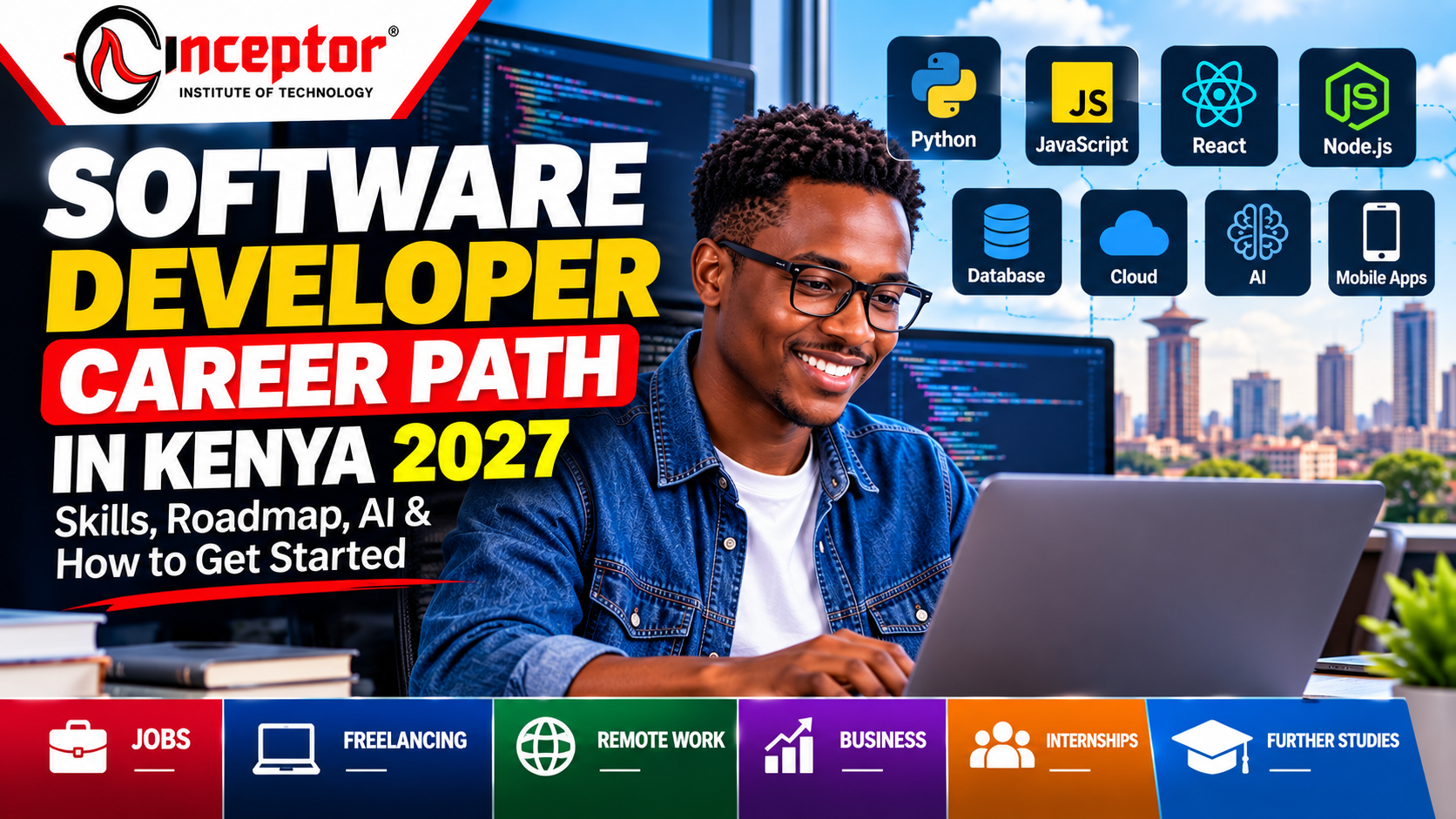
Software Developer Career Path in Kenya 2027: Skills, Roadmap, AI & How to Get Started
Software development remains one of the most versatile technology career paths in Kenya and globally.
But the profession is changing.
Today, becoming a software developer is no longer simply about learning how to write code. Modern developers are expected to understand how to solve problems, build complete applications, work with databases and APIs, use Git, deploy software, test and secure applications, and increasingly use AI tools effectively during development.
If you are searching for how to become a software developer in Kenya, what programming languages to learn, which software-development career path to choose, or whether AI is changing software-development jobs, this guide gives you a practical roadmap.
Quick Answer: How Do You Become a Software Developer?
A practical route is:
Learn programming fundamentals → Choose a development path → Learn one technology stack → Build real projects → Learn Git and databases → Deploy your applications → Learn AI-assisted development → Create a portfolio → Gain practical experience → Apply for internships, jobs, freelance projects or build your own products.
You do not need to learn every programming language or framework.
The objective is to become capable of taking a real-world problem and turning it into a working, secure and usable software solution.

What Does a Software Developer Do?
A software developer designs, builds, tests, improves and maintains computer applications and systems.
Depending on your specialization, you might develop:
- Websites and web applications
- Business management systems
- E-commerce platforms
- Mobile applications
- APIs
- Payment integrations
- Artificial-intelligence applications
- Automation tools
- Database-driven applications
- Cloud applications
- Enterprise software
- Internal business systems
Software developers work in many industries—not only technology companies.
Banks, hospitals, schools, government institutions, telecommunications companies, NGOs, retailers, manufacturers, logistics businesses, startups and financial-technology companies increasingly depend on software.
This means software-development skills can potentially lead to employment, freelance work, remote opportunities, entrepreneurship or building your own digital products.
Is Software Development Still a Good Career With AI?
Yes—but the skills required are evolving.
Generative AI can now generate code, explain programming concepts, identify some bugs, create tests and help developers prototype applications much faster.
That does not eliminate the need to understand software engineering.
Developers still need to understand:
Problem solving
Software architecture
Application logic
Databases
APIs
Authentication
Security
Testing
Debugging
Deployment
Performance
User requirements
Code verification
The emerging developer workflow is therefore not simply:
Learn to code.
It is increasingly:
Understand the problem → Design the solution → Use code and AI tools → Test → Debug → Secure → Deploy → Monitor → Improve.
A developer who blindly copies AI-generated code can introduce errors and security vulnerabilities.
A developer who understands software engineering can use AI as a productivity tool while verifying what it produces.
Software Developer Career Paths
One of the first decisions you should make is what type of software you want to build.
You do not have to make a permanent decision immediately, but choosing an initial direction prevents you from trying to learn everything simultaneously.
1. Front-End Developer
Front-end developers build the part of websites and web applications that users interact with.
Typical skills include:
- HTML
- CSS
- JavaScript
- TypeScript
- Responsive web design
- Accessibility
- React or another modern frontend framework
- APIs
- Git and GitHub
- Browser developer tools
A frontend developer might build dashboards, e-commerce interfaces, booking systems, portals or interactive websites.
Good portfolio projects
Build projects such as:
- Responsive business website
- E-commerce interface
- Admin dashboard
- Booking interface
- Job-search application
- Data dashboard
The goal is to demonstrate that you can create usable interfaces—not merely reproduce tutorials.
2. Back-End Developer
Back-end developers build the systems operating behind an application.
They commonly work with:
- Servers
- Databases
- APIs
- Authentication
- Application logic
- Payment integrations
- Security
- Data processing
Popular backend technologies include languages and frameworks built around:
Python, JavaScript/Node.js, PHP, Java, C# and other server-side ecosystems.
You should also understand relational databases such as:
MySQL or PostgreSQL
and, where appropriate, NoSQL databases.
Example project
Imagine an online shop.
The frontend displays products.
The backend handles processes such as:
Create account → Login → Retrieve products → Add order → Process payment → Store transaction → Update inventory → Send confirmation.
That business logic is largely handled by backend systems.
3. Full-Stack Developer
A full-stack developer can work across both frontend and backend development.
This is a popular path because it enables you to build an application from the user interface through to the database.
A modern full-stack skill set may include:
HTML + CSS + JavaScript/TypeScript + frontend framework + backend technology + database + Git + APIs + testing + deployment.
However, becoming full stack does not mean mastering every framework.
Choose one stack and learn how its components work together.
For example:
Frontend → React
Backend → Node.js
Database → PostgreSQL
Version Control → Git/GitHub
Deployment → Cloud platform
Then build complete applications.
4. Mobile App Developer
Mobile developers build applications for smartphones and tablets.
Possible routes include:
Android development
iOS development
Cross-platform mobile development
Technologies may include:
- Kotlin
- Swift
- Flutter/Dart
- React Native
- APIs
- Databases
- Mobile authentication
- Push notifications
Useful projects could include a delivery application, expense tracker, school application, appointment system or small-business management app.
5. AI Application Developer
This is becoming an important extension of conventional software development.
An AI application developer combines normal software-engineering skills with artificial-intelligence services and models.
Instead of necessarily training large AI models from scratch, a developer may build applications that integrate existing AI capabilities.
Examples include:
- AI customer-support assistants
- Document search systems
- Business automation tools
- AI learning assistants
- Resume-analysis applications
- Knowledge assistants
- Content-processing tools
- Intelligent business dashboards
Relevant skills can include:
Python or JavaScript
APIs
LLM APIs
Prompt design
Structured outputs
Retrieval-Augmented Generation (RAG) concepts
Databases
Vector search concepts
Security and privacy
Testing AI outputs
This combination of conventional software engineering and AI integration is becoming increasingly useful.
6. Cloud & DevOps Engineering
Building an application is only part of software development.
Someone also needs to deploy, operate and maintain it.
Developers increasingly benefit from understanding:
- Linux
- Cloud computing
- Docker
- CI/CD
- GitHub Actions
- Application monitoring
- Environment variables
- Domain configuration
- Databases
- Backups
- Basic infrastructure security
You don’t need to become a DevOps engineer before applying for your first development role.
But you should know how to take at least one application from:
Your laptop → Git repository → Server/cloud → Live application.
Software Developer Roadmap for Beginners
If you are starting from zero, avoid randomly jumping between programming languages.
Use a structured roadmap.
Stage 1: Learn How Programming Works
Start with:
- Variables
- Data types
- Conditions
- Loops
- Functions
- Objects
- Arrays
- Error handling
- Basic algorithms
- Debugging
- Problem solving
Choose one primary programming language and become comfortable using it.
Do not attempt to learn five languages simultaneously.
Stage 2: Learn Web Fundamentals
Even if you eventually specialize elsewhere, web technologies provide an accessible environment for learning how software systems communicate.
Learn:
HTML → CSS → JavaScript
Then understand:
- HTTP
- Browser/server communication
- Forms
- JSON
- APIs
- Authentication basics
Stage 3: Learn Git and GitHub
Version control should not be treated as an optional advanced skill.
Learn:
- Git repositories
- Commits
- Branches
- Pull requests
- Merge conflicts
- README documentation
Your GitHub profile can also become part of your professional portfolio.
Stage 4: Learn Databases
Most useful applications store information.
Learn concepts such as:
- Tables
- Relationships
- Primary keys
- Queries
- CRUD operations
- Database design
- SQL
- Data validation
Start with a relational database such as PostgreSQL or MySQL.
You can explore NoSQL databases later where the application requires them.
Stage 5: Learn APIs
Modern applications constantly communicate with external systems.
For example, your application might need to integrate:
M-Pesa → Maps → Email → SMS → Payment gateway → AI service → Your application.
Understanding APIs therefore makes you significantly more capable as a developer.
Learn:
- REST APIs
- HTTP methods
- JSON
- Authentication
- API keys
- Error handling
- Webhooks
- Basic API security
Stage 6: Learn Testing and Debugging
Beginners often spend all their time learning how to create features.
Professional developers also learn how to determine why those features fail.
Practice:
- Reading error messages
- Using logs
- Browser developer tools
- Debuggers
- Unit testing
- Integration testing
- Input validation
- Error handling
Being able to debug unfamiliar problems is one of the most valuable software-development skills.
Stage 7: Learn Secure Coding
Security should be part of development rather than something added after an application is complete.
Understand basic concepts including:
- Authentication
- Authorization
- Password security
- Input validation
- Access control
- Secrets management
- Common web vulnerabilities
- Dependency security
- Secure API design
You do not need to become a cybersecurity specialist, but every developer should understand basic application security.
Stage 8: Learn AI-Assisted Software Development
AI coding assistants can accelerate software development when used correctly.
Use AI to help:
- Explain unfamiliar code
- Generate initial code structures
- Brainstorm solutions
- Create tests
- Document functions
- Refactor code
- Investigate errors
- Generate sample data
- Compare implementation approaches
But always ask:
Does this code actually work?
Is it secure?
Does it satisfy the requirement?
Can I explain it?
Have I tested the edge cases?
Never allow AI to replace your understanding of the application.
Stage 9: Build Real Software Projects
Tutorials teach concepts.
Projects demonstrate capability.
Instead of creating ten tiny tutorial applications, build approximately three strong projects that solve recognizable problems.
For example:
Project 1 — Small Business Management System
Build:
- User registration
- Login
- Customers
- Products
- Sales
- Expenses
- Dashboard
- Reports
Project 2 — E-Commerce Application
Build:
- Product catalogue
- Search
- Shopping cart
- Accounts
- Orders
- Payment integration
- Admin dashboard
Project 3 — AI-Powered Application
Build something such as:
- AI study assistant
- Customer-service assistant
- Document Q&A application
- AI business assistant
Each project should ideally have:
Live demo + GitHub repository + README + screenshots + clear explanation of the problem and solution.
That provides evidence of practical ability.
What Should a Software Developer Portfolio Contain?
Your portfolio should answer one important employer question:
“Can this person actually build software?”
Include:
- 3–5 strong projects
- Live project links
- GitHub repositories
- Technologies used
- Problem solved
- Screenshots
- Your contribution
- Challenges encountered
- How you solved them
Avoid filling your portfolio with dozens of unfinished tutorial projects.
Quality and depth are more useful than quantity.
Do You Need a Degree to Become a Software Developer?
There are several routes into software development.
University or College
A computer-science, software-engineering or related qualification can provide strong foundations in:
- Programming
- Algorithms
- Data structures
- Computer architecture
- Databases
- Networking
- Software engineering
It may also help with internships and roles where employers specify formal academic qualifications.
However, formal education is not the only learning route.
Practical Software Development Training
Structured practical training can suit learners who want a faster, project-focused route.
A strong programme should go beyond lectures and teach students how to:
Learn → Build → Test → Debug → Deploy → Document → Present.
Self-Learning
Many programming resources are available online.
Self-learning can work well for disciplined learners, but you need a structured roadmap.
The biggest risk is repeatedly watching tutorials without building anything independently.
How Long Does It Take to Become a Software Developer?
There is no universal timeframe.
Your progress depends on:
- Time available
- Previous technical experience
- Learning consistency
- Complexity of your chosen specialization
- Number and quality of projects built
Instead of asking only:
“How many months will it take?”
ask:
“What can I build independently?”
A learner who can design, build, debug and deploy an application has stronger evidence of capability than someone who has merely completed many tutorials.
How to Get Your First Software Developer Job in Kenya
Your first opportunity might not carry the exact title “Software Developer.”
Look for:
- Software Developer Intern
- Software Engineer Intern
- Junior Developer
- Junior Software Engineer
- Front-End Developer
- Back-End Developer
- Full-Stack Developer
- Web Developer
- Mobile Developer
- Application Developer
- QA/Test Automation roles
- Technical implementation roles
Then build evidence around the technologies requested in the jobs you are targeting.
How to Get Software Development Experience Without a Job
This is one of the most important questions for beginners.
You can create experience before being formally employed.
Build software for:
- Small businesses
- Schools
- NGOs
- Community organizations
- Friends’ businesses
- Your own business idea
- Open-source projects
You can also participate in:
- Internships
- Hackathons
- Freelance projects
- Developer communities
- Collaborative projects
The objective is to move from:
“I studied programming.”
to:
“Here is software I designed, built and deployed.”
Software Development Career Opportunities in Kenya
Software-development skills can support several career models.
Employment
Work as a developer or software engineer for an organization.
Remote Work
Work with companies or distributed teams outside your immediate location.
Freelancing
Develop websites, systems, integrations and applications for clients.
Entrepreneurship
Build your own software products or technology company.
Software as a Service (SaaS)
Create software that customers pay to access.
Consulting
Help organizations design, automate or improve digital systems.
The same technical foundation can therefore support several income and career paths.
Important Skills Beyond Coding
Employers do not hire developers simply because they can type programming syntax.
Professional developers also need:
Problem solving — Breaking complex requirements into manageable components.
Communication — Explaining technical issues clearly to colleagues and clients.
Teamwork — Working with designers, developers, product managers and customers.
Documentation — Making software understandable and maintainable.
Testing mindset — Verifying that software behaves correctly.
Business understanding — Understanding why the application exists and what problem it solves.
Continuous learning — Technology changes constantly.
Common Mistakes Beginner Developers Should Avoid
Learning too many programming languages
Master one useful stack before constantly changing technologies.
Tutorial dependency
Do not spend months copying instructors without building independently.
Ignoring Git
Start version control early.
Avoiding databases
Most production applications need persistent data.
Never deploying projects
Software sitting permanently on your laptop provides less portfolio evidence than a working deployment.
Copying AI-generated code blindly
AI-generated code still requires human review, testing and security checks.
Waiting until you know everything before applying
You will never know every technology.
Develop sufficient foundations, build credible projects and start pursuing appropriate opportunities.
A Practical Software Developer Learning Roadmap
A beginner could structure the journey like this:
Phase 1: Programming fundamentals
↓
Phase 2: HTML, CSS and JavaScript
↓
Phase 3: Git & GitHub
↓
Phase 4: Frontend framework
↓
Phase 5: Backend development
↓
Phase 6: SQL & databases
↓
Phase 7: APIs & integrations
↓
Phase 8: Testing & security
↓
Phase 9: Cloud deployment
↓
Phase 10: AI-assisted development
↓
Phase 11: Build 3 strong projects
↓
Phase 12: Portfolio + internship/job/freelance applications
The goal is not to memorize technology.
The goal is to become capable of building useful software from an idea to a working deployment.
Frequently Asked Questions About Software Development Careers
Which programming language should a beginner learn first?
There is no single correct language.
Python and JavaScript are common starting points because they have broad ecosystems and can be used in many practical projects.
Your choice should ultimately depend on what you want to build.
Is Python enough to get a software development job?
Python can be valuable, but employers usually require more than knowledge of one programming language.
Depending on the role, you may also need databases, Git, APIs, frameworks, testing and deployment skills.
Can I become a software developer without a computer science degree?
There are multiple entry routes, including formal degrees, structured practical training and self-directed learning.
However, whichever route you choose, employers may still expect evidence that you can solve problems and build working software.
Will AI replace software developers?
AI is changing software-development workflows and automating some coding tasks.
At the same time, organizations still require people who can understand requirements, design systems, verify AI-generated code, debug applications, manage security and deploy reliable software.
The stronger strategy is therefore to learn software engineering and how to work effectively with AI.
Is software development marketable in Kenya?
Kenya continues investing in advanced digital skills and identifies areas including programming, artificial intelligence, cybersecurity, big data, IoT and mobile application development as important high-level ICT capabilities.
Software skills are also applicable across sectors including fintech, telecommunications, banking, education, e-commerce, government and startups.
What projects should a beginner software developer build?
Start with applications that demonstrate practical skills rather than extremely simple exercises.
Examples include:
- E-commerce system
- Inventory system
- School management application
- Booking system
- Expense tracker
- Business dashboard
- Mobile application
- AI-powered knowledge assistant
Start Your Software Development Career With Practical Training
Reading about programming is not the same as building software.
At Inceptor Institute of Technology, software-development training is designed around practical, project-based learning so learners can develop applicable technical skills and build portfolio evidence.
Learners can develop skills in areas such as:
- Programming
- Web development
- Software engineering
- Databases
- APIs
- Git and version control
- AI-assisted development
- Application deployment
- Real-world software projects
The objective is to move from:
Beginner → Learner → Builder → Portfolio → Job/Client/Entrepreneurship Opportunity
Ready to Start?
Explore Inceptor’s Software Development Training & Engineering programme and learn through practical projects designed to build workplace-ready capabilities.
Learn. Build. Deploy. Demonstrate what you can do.