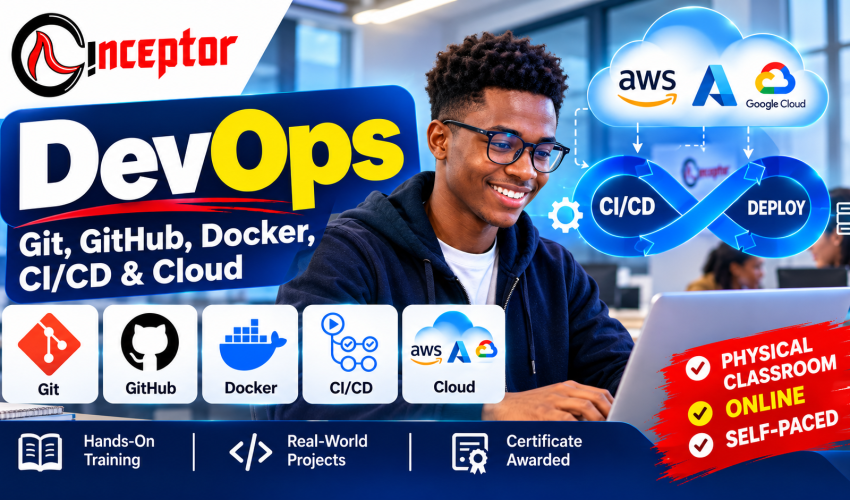
DevOps – Git, GitHub, Docker, CI/CD & Cloud Course in Kenya
Get unlimited access to all learning content and premium assets Membership Pro
DevOps – Git, GitHub, Docker, CI/CD & Cloud Course in Kenya
Learn → Build → Automate → Deploy → Document → Showcase
Learn how modern software moves from a developer’s computer to a live cloud environment.
The DevOps – Git, GitHub, Docker, CI/CD & Cloud Course at Inceptor Institute of Technology is a practical 2-month training programme designed to help learners understand and practise the technologies and workflows used to build, automate, containerize and deploy modern applications.
Instead of learning DevOps tools independently without understanding how they connect, you will work through the complete workflow:
CODE → GIT → GITHUB → CI/CD → TEST → BUILD → DOCKER → DEPLOY → CLOUD → MONITOR
You will practise version control with Git, manage projects and collaboration through GitHub, containerize applications using Docker, automate software workflows with CI/CD and understand how applications are deployed into cloud environments.
Most importantly, you will work on practical projects that can become evidence of your skills through GitHub repositories, project documentation, Dockerfiles, workflow files, deployment evidence and portfolio projects.
DevOps Course at a Glance
Course: DevOps – Git, GitHub, Docker, CI/CD & Cloud
Institution: Inceptor Institute of Technology
Duration: 2 Months / Approximately 8 Weeks
Course Fee: KSh 45,000
Location: Nairobi, Kenya
Training Options:
- Physical Classroom Training in Nairobi
- Instructor-Led Online Training
- Self-Paced AI Tutorial-Enabled Course Book
Training Model: Comprehensive Hands-On Training + Practical Real-World Projects
Certification: Certificate awarded upon successful completion
Portfolio Outcome: Practical projects that can be documented and profiled through GitHub and your professional portfolio.
What Is DevOps?
DevOps is an approach to software development and IT operations that brings together people, processes and automation to help teams build, test, release and operate software more efficiently and reliably.
A traditional software developer may concentrate primarily on writing application code. But building an application is only part of the software lifecycle.
The application must also be tested, packaged, configured, deployed, updated, monitored and maintained.
DevOps helps connect these activities.
For example, imagine a developer changes the code of an online shopping application.
Instead of manually copying files to a server every time something changes, a DevOps workflow can automatically:
Developer writes code → Git records changes → GitHub stores the project → CI/CD tests the application → Docker packages it → Cloud infrastructure hosts it → monitoring helps identify problems.
This course teaches you how the major parts of that workflow fit together.
What Does a DevOps Engineer Do?
A DevOps engineer typically helps development and operations teams automate and improve the process of building, testing, deploying and operating software.
Depending on the organization and level of experience, DevOps-related responsibilities can include:
- managing source-code workflows
- configuring CI/CD pipelines
- automating software builds
- containerizing applications
- managing deployment environments
- supporting cloud infrastructure
- automating repetitive operational tasks
- managing application configuration
- troubleshooting deployment failures
- monitoring applications and infrastructure
- improving reliability
- implementing security practices
- documenting technical processes
DevOps is therefore not simply learning Docker commands or Git commands.
The real skill is understanding how development, automation, infrastructure and deployment work together.
Why Learn DevOps?
You may already know how to write code but still ask:
“How does my application actually get from my laptop onto a production server?”
Or perhaps you constantly hear terms such as:
Git. GitHub. Docker. CI/CD. GitHub Actions. Cloud. Kubernetes. Terraform.
But you are not sure how they connect.
This course is designed to bridge that gap.
You will move beyond isolated tutorials and begin understanding the practical workflow behind modern software delivery.
What Will You Learn in This DevOps Course?
The Inceptor DevOps course focuses on five core areas:
1. Git
Learn how developers track and manage changes to software projects.
2. GitHub
Learn how development teams store code, collaborate, review changes and automate workflows.
3. Docker
Learn how applications can be packaged into portable containers that behave consistently across environments.
4. CI/CD
Learn how testing, building and deployment processes can be automated.
5. Cloud Deployment
Understand how applications and infrastructure operate in cloud environments and practise deploying applications.
By the end of the programme, these technologies should no longer look like unrelated tools.
You should understand how they form part of an integrated software delivery workflow.
8-Week DevOps Course Curriculum
Week 1: DevOps Foundations
Start by understanding the problem DevOps is designed to solve.
Topics
- What is DevOps?
- Development vs Operations
- DevOps culture
- DevOps lifecycle
- Software Development Lifecycle
- Agile and DevOps
- Development environments
- Testing environments
- Staging environments
- Production environments
- Introduction to Linux
- command-line fundamentals
- servers
- IP addresses and ports
- networking concepts
- cloud computing fundamentals
Practical Exercises
Use the command line, navigate Linux environments and understand how software moves between development and production environments.
Week 2: Git Version Control
Git is one of the foundational technologies of modern software development.
You will learn how to track changes to projects and work safely with different versions of source code.
Topics
- Version control fundamentals
- Installing Git
- Configuring Git
- Creating repositories
- git init
- git clone
- git add
- git commit
- git status
- git log
- branches
- merging
- merge conflicts
- git pull
- git push
- .gitignore
- tags
- releases
- reverting changes
- practical Git workflows
Practical Project
Create and manage a software repository with multiple versions, branches, commits and merges.
Week 3: GitHub & Collaborative Software Development
Git and GitHub are related, but they are not the same thing.
Git provides version control.
GitHub provides a platform where Git repositories can be hosted, shared and integrated into collaborative development workflows.
You Will Learn
- creating GitHub repositories
- public vs private repositories
- repository management
- GitHub profiles
- README documentation
- branches
- pull requests
- issues
- code reviews
- collaborative development
- repository permissions
- basic repository security
- releases
- GitHub portfolio development
- introduction to GitHub Actions
Practical Outcome
Create a professionally documented GitHub project that demonstrates your development workflow.
Week 4: Docker & Containerization
What Is Docker?
Docker is a platform used to package applications and their dependencies into containers so that they can run more consistently across different computing environments.
One common software problem is:
“It works on my computer, but it doesn’t work on the server.”
Containers help reduce environment inconsistencies.
You Will Learn
- containers vs virtual machines
- Docker architecture
- Docker images
- Docker containers
- Docker Hub
- Dockerfiles
- building images
- running containers
- exposing ports
- environment variables
- persistent storage
- volumes
- Docker networking
- Docker Compose
- multi-container applications
- debugging containers
- basic container security
Practical Project: Dockerized Application
Take a working application and containerize it.
Your project should include:
- application source code
- Dockerfile
- configuration
- documentation
- instructions for running the application
This can become part of your GitHub portfolio.
Week 5: CI/CD & GitHub Actions
What Is CI/CD?
CI/CD refers to practices that automate parts of software integration, testing, delivery and deployment.
CI normally refers to Continuous Integration.
Developers frequently integrate code changes into a shared repository, where automated processes can test or validate those changes.
CD can refer to Continuous Delivery or Continuous Deployment, depending on how the organization’s release process is configured.
You Will Learn
- Continuous Integration
- Continuous Delivery
- Continuous Deployment
- automated testing
- automated builds
- deployment pipelines
- environments
- software artifacts
- secrets
- environment variables
- pipeline failures
- debugging workflows
- rollback concepts
- GitHub Actions
- workflow files
- triggers
- jobs and steps
You will also be introduced conceptually to other CI/CD technologies such as Jenkins and GitLab CI.
Practical Project: Automated CI Workflow
Create a GitHub Actions workflow that automatically runs when code is pushed to a repository.
For example:
Developer Pushes Code → GitHub Detects Change → Workflow Starts → Application Is Tested → Build Runs → Result Is Reported
Week 6: Cloud Computing for DevOps
How Is Cloud Computing Used in DevOps?
Cloud computing provides infrastructure and managed services where applications can be hosted, deployed, scaled and operated.
DevOps practices frequently interact with cloud infrastructure because automated software delivery needs environments where applications can run.
Topics
- cloud computing fundamentals
- cloud deployment concepts
- virtual machines
- compute
- storage
- networking
- DNS concepts
- Identity and Access Management
- application hosting
- environment variables
- secrets management concepts
- cloud security fundamentals
You will be introduced to major cloud ecosystems including:
- Amazon Web Services (AWS)
- Microsoft Azure
- Google Cloud
The objective is not to claim mastery of three large cloud platforms within eight weeks. Instead, you will understand the role cloud platforms play in DevOps and practise an appropriate deployment workflow.
Week 7: Docker + CI/CD + Cloud Deployment
This is where the technologies begin working together.
Consider this workflow:
CODE → GIT → GITHUB → CI/CD → TEST → BUILD → DOCKER IMAGE → DEPLOY → CLOUD → MONITOR
Instead of studying every technology separately, you will learn how one stage feeds into the next.
Example Workflow
A developer changes an application.
↓
Git records the changes.
↓
The developer pushes the code to GitHub.
↓
A CI/CD workflow starts.
↓
Automated checks or tests run.
↓
The application is built.
↓
A Docker image is created.
↓
The application is deployed into an appropriate environment.
↓
The application becomes accessible to users.
That is the type of end-to-end workflow modern DevOps practices are designed to support.
Week 8: DevOps Capstone Project + Portfolio Development
Complete a practical project integrating the technologies studied during the programme.
Your capstone can incorporate:
- Git
- GitHub
- Docker
- CI/CD
- GitHub Actions
- cloud deployment
- troubleshooting
- security considerations
- technical documentation
- professional README
- workflow/architecture explanation
The objective is not simply to finish an assignment.
It is to create evidence that you have actually practised DevOps workflows.
DevOps Projects You Will Build
Practical projects form an important part of the training.
Project 1: Git & GitHub Development Workflow
Create and manage a project using repositories, commits, branches, merges and pull requests.
Skills demonstrated: Git, GitHub and collaborative development.
Portfolio evidence: Repository history, branches, pull requests and README documentation.
Project 2: Dockerized Web Application
Take an application and package it into Docker containers.
Skills demonstrated: Docker, Dockerfiles, images, containers, networking and configuration.
Portfolio evidence: Dockerfile, source repository, README and screenshots.
Project 3: Automated CI Pipeline
Create a workflow that automatically performs specified checks or builds when code changes.
Technologies: GitHub + GitHub Actions.
Portfolio evidence: Workflow configuration files, execution history and documentation.
Project 4: Cloud Deployment
Deploy an application into an appropriate cloud environment.
Skills demonstrated: deployment, cloud concepts, configuration and troubleshooting.
Portfolio evidence: architecture documentation, deployment evidence and project report.
Capstone Project: End-to-End DevOps Pipeline
Integrate:
Git + GitHub + CI/CD + Docker + Cloud
Your project should demonstrate how an application can move from source code to an operational deployment through a structured workflow.
This becomes one of the most valuable pieces of evidence from the programme.
Don’t Just Say You Know DevOps – Show What You Can Build
A certificate demonstrates that you completed training.
A portfolio helps demonstrate what you have actually practised.
Throughout the programme, you should learn how to document your work using:
- GitHub repositories
- professional README files
- Dockerfiles
- CI/CD workflow files
- architecture diagrams
- screenshots
- project reports
- deployment evidence where appropriate
- troubleshooting notes
- technical documentation
- LinkedIn project descriptions
Instead of writing only:
“I know Docker and CI/CD.”
You can potentially show a repository containing a Dockerized application and the CI workflow you created.
That gives employers, clients and collaborators more concrete evidence to evaluate.
Is This DevOps Course Suitable for Beginners?
The programme introduces DevOps progressively, but learners should be comfortable using computers and have a genuine interest in software, cloud computing or IT infrastructure.
Prior experience in areas such as programming, web development, Linux, networking, system administration or cloud computing can make some concepts easier to understand.
Absolute beginners may need additional practice, particularly with Linux, networking and basic software-development concepts.
Do I Need Coding Experience to Learn DevOps?
You do not need to be an advanced software developer to begin learning DevOps, but understanding basic programming and software-development concepts is valuable.
DevOps engineers frequently work with:
- scripts
- configuration files
- YAML
- command-line tools
- APIs
- application code
- automation
If you are completely new to software development, consider building foundational development skills alongside your DevOps training.
You can explore Inceptor’s Web & Software Development with AI Course:
Who Should Take This Course?
The DevOps course can be particularly relevant to:
- Computer Science students
- IT students
- university and college graduates
- software developers
- web developers
- system administrators
- IT support professionals
- cloud-computing learners
- cybersecurity professionals
- QA/software-testing professionals
- technical graduates
- technically prepared career switchers
- freelancers
- technology entrepreneurs
It can also help developers who know how to create applications but want to understand how software is packaged, automated and deployed.
Three Ways to Study DevOps at Inceptor
1. Physical Classroom Training – Nairobi
Attend instructor-led practical classes at Inceptor Institute of Technology in Nairobi.
This option is suitable for learners who prefer direct classroom interaction and guided practical sessions.
2. Instructor-Led Online Training
Attend live instructor-led training remotely.
This provides an option for learners outside Nairobi or those who prefer online learning while retaining instructor guidance.
3. Self-Paced AI Tutorial-Enabled Course Book
Study through a structured self-paced course book supported by AI-enabled tutorial learning.
The material can help guide you through concepts, practical exercises and projects at your own pace.
AI support does not replace hands-on practice.
DevOps is learned by doing.
You need to create repositories, write configuration files, build containers, troubleshoot errors and practise deployment workflows.
Career & Professional Opportunities After Learning DevOps
DevOps skills can support several technology career pathways.
Depending on your existing skills, additional training and practical experience, these can include:
- Junior DevOps-related roles
- DevOps Engineer pathway
- Cloud Support
- Cloud Engineer pathway
- CI/CD Engineering
- Build and Release Engineering
- Systems/Infrastructure roles
- Software Deployment roles
- Technical Support + Cloud
- Software Engineering with DevOps skills
- Platform Engineering pathway
- Site Reliability Engineering pathway
- DevSecOps pathway
Some advanced roles require substantial additional experience beyond an introductory two-month programme.
The course therefore provides a practical foundation and project experience, not a guarantee of immediate employment or seniority.
DevOps + Software Development
DevOps is especially useful for software developers who want to understand what happens after they finish writing an application.
A developer with deployment and automation skills can better understand the full software lifecycle:
BUILD → TEST → PACKAGE → DEPLOY → OPERATE
Developers interested in strengthening their application-development foundation can also explore Inceptor’s:
Web & Software Development with AI Course
DevOps + Cloud Computing
Cloud and DevOps skills frequently complement each other.
Cloud platforms provide infrastructure.
DevOps practices help teams automate how applications and infrastructure are built, configured, tested and deployed.
This creates potential progression toward:
- Cloud Engineering
- Cloud DevOps
- Infrastructure Automation
- Platform Engineering
- Site Reliability Engineering
- Cloud Security/DevSecOps
DevOps + Cybersecurity
Modern organizations increasingly integrate security earlier into development and deployment processes.
This is commonly associated with DevSecOps.
Learners interested in both cybersecurity and DevOps can progressively develop skills around:
- secrets management
- dependency security
- container security
- pipeline security
- cloud access control
- vulnerability scanning
- infrastructure security
- secure deployment processes
Freelancing & Consulting Opportunities
As your experience grows, DevOps skills can also support technical freelance and consulting services.
Potential services include:
- Dockerizing applications
- Git repository setup
- GitHub configuration
- CI/CD pipeline setup
- GitHub Actions workflow configuration
- cloud deployment support
- deployment automation
- server/application deployment
- technical documentation
- troubleshooting deployment workflows
- cloud migration support
- DevOps training
Your ability to provide these services depends on your technical competence, practical experience and the complexity of the client’s infrastructure.
Turn Your DevOps Knowledge Into Digital Products
Technical skills can create opportunities beyond employment and freelance services.
Once you develop genuine expertise and solve practical problems, you can package some of that knowledge into useful educational digital products.
Examples include:
- Git command cheat sheets
- Git beginner guides
- GitHub guides
- Docker installation guides
- Docker troubleshooting manuals
- CI/CD checklists
- GitHub Actions workflow templates
- cloud deployment checklists
- DevOps interview preparation guides
- DevOps learning roadmaps
- technical eBooks
- deployment SOPs
- troubleshooting manuals
- mini-courses
- video tutorials
- project templates
- infrastructure documentation templates
The process can be summarized as:
LEARN → PRACTICE → DOCUMENT → PACKAGE → PUBLISH → SELL
For example, after gaining real Docker experience, you might develop an original beginner-friendly guide explaining how to Dockerize a particular type of application.
After learning GitHub Actions, you might create reusable workflow templates accompanied by documentation explaining how and when they should be used.
Original knowledge products can then be published through digital marketplaces such as:
Vezill – Quick Knowledge You Can Apply
Always respect software licences, copyrights, intellectual-property rights and marketplace requirements.
Training does not guarantee sales or income; commercial results depend on product usefulness, demand, quality, positioning and marketing.
What Should I Learn After This DevOps Course?
DevOps is a broad professional discipline.
Git, GitHub, Docker, CI/CD and cloud deployment provide a useful foundation, but your learning can continue into more advanced areas.
Recommended progression includes:
Kubernetes
Learn container orchestration and how containerized workloads can be managed at scale.
Terraform
Learn Infrastructure as Code and how infrastructure can be defined and managed programmatically.
Infrastructure as Code
Learn to make infrastructure reproducible, version-controlled and automatable.
Configuration Management
Explore tools and practices for maintaining consistent system configuration.
Monitoring & Observability
Understand logs, metrics, traces, alerts and application/infrastructure visibility.
DevSecOps
Integrate security controls into development and deployment workflows.
GitOps
Explore Git-centered approaches to managing infrastructure and application deployment.
Site Reliability Engineering
Develop deeper knowledge of reliability, availability, monitoring, incident management and automation.
Platform Engineering
Understand how organizations create internal platforms and standardized developer workflows.
These technologies represent progression opportunities rather than topics you should assume you have mastered simply by completing an introductory DevOps programme.
DevOps Learning Roadmap
A practical progression can look like this:
Linux & Networking
↓
Git
↓
GitHub
↓
Docker
↓
CI/CD
↓
Cloud
↓
Projects
↓
Kubernetes
↓
Infrastructure as Code
↓
Monitoring & Observability
↓
DevSecOps / SRE / Platform Engineering
Your exact pathway should depend on your career objectives.
Learn DevOps Through Practical Work
Watching tutorials can help you understand concepts.
But DevOps requires practice.
You need to experience situations such as:
- a Git merge conflict
- a Docker container that refuses to start
- an incorrectly exposed port
- a failed CI workflow
- a missing environment variable
- a permissions problem
- a failed deployment
- an application that works locally but fails in another environment
Troubleshooting these problems develops practical understanding.
That is why Inceptor’s training model emphasizes:
Learn → Build → Break → Troubleshoot → Fix → Deploy → Document
Frequently Asked Questions
How long is the DevOps course at Inceptor?
The DevOps – Git, GitHub, Docker, CI/CD & Cloud course runs for approximately 2 months or 8 weeks.
How much is the DevOps course in Kenya?
The Inceptor DevOps course fee is KSh 45,000.
Where is the DevOps course offered?
Physical classroom training is available at Inceptor Institute of Technology in Nairobi, Kenya. Instructor-led online and self-paced learning options are also available.
Can I study DevOps online?
Yes. Learners can choose instructor-led online training or the self-paced AI tutorial-enabled course-book option.
Is the DevOps course suitable for beginners?
The course introduces core DevOps concepts progressively. Basic familiarity with computers and technology is important, while previous programming, Linux, networking or IT knowledge can make the learning process easier.
Do I need to know programming before learning DevOps?
Advanced programming knowledge is not mandatory for beginning DevOps, but basic understanding of software development and scripting is highly beneficial.
Will I learn Git and GitHub?
Yes. Git version control and GitHub-based development workflows form a core part of the programme.
Will I learn Docker?
Yes. The programme introduces Docker images, containers, Dockerfiles, volumes, networking, Docker Compose and application containerization.
What is CI/CD?
CI/CD describes practices used to automate software integration, testing, delivery and deployment processes. The programme uses GitHub Actions as a principal practical CI/CD example.
Will I learn GitHub Actions?
Yes. You will learn the fundamentals of creating automated workflows with GitHub Actions.
Does the course cover cloud computing?
Yes. The course introduces cloud concepts and their relationship with DevOps and includes practical deployment concepts.
Does the course teach AWS, Azure and Google Cloud?
The course introduces these major cloud ecosystems in the context of DevOps. It does not claim to provide complete mastery of all three cloud platforms within eight weeks.
Will I build DevOps projects?
Yes. Practical projects include Git/GitHub workflows, Docker containerization, CI/CD automation and cloud deployment, culminating in an end-to-end DevOps project.
Will I receive a certificate?
Yes. A certificate is awarded upon successful completion of the programme.
Can I use my projects when applying for jobs?
Your completed projects can be documented through GitHub repositories, README files, screenshots, workflow files and other portfolio evidence that can help demonstrate your practical experience.
Can DevOps skills support freelance work?
As your competence and experience increase, DevOps skills can support services such as Docker setup, CI/CD configuration, deployment automation, GitHub workflow configuration and cloud deployment support.
What should I study after completing this course?
Depending on your goals, you can progress into Kubernetes, Terraform, Infrastructure as Code, monitoring and observability, DevSecOps, GitOps, Site Reliability Engineering or Platform Engineering.
Study DevOps at Inceptor Institute of Technology
If you want to understand how modern applications move from source code to automated, containerized and cloud-deployed systems, this course provides a structured practical starting point.
Course: DevOps – Git, GitHub, Docker, CI/CD & Cloud
Duration: 2 Months
Fee: KSh 45,000
Choose:
Physical Classroom | Instructor-Led Online | Self-Paced AI Tutorial-Enabled Course Book
Inceptor Institute of Technology
Hazina Towers, 18th Floor
Utalii Lane, opposite Anniversary Towers
Nairobi, Kenya
Call/WhatsApp: +254 728 456 781
Email: admin@inceptor.co.ke
Register for the DevOps Course

Get unlimited access to all learning content and premium assets Membership Pro