
QuickBooks + Excel + AI Accounting Course in Kenya | Inceptor
Get unlimited access to all learning content and premium assets Membership Pro
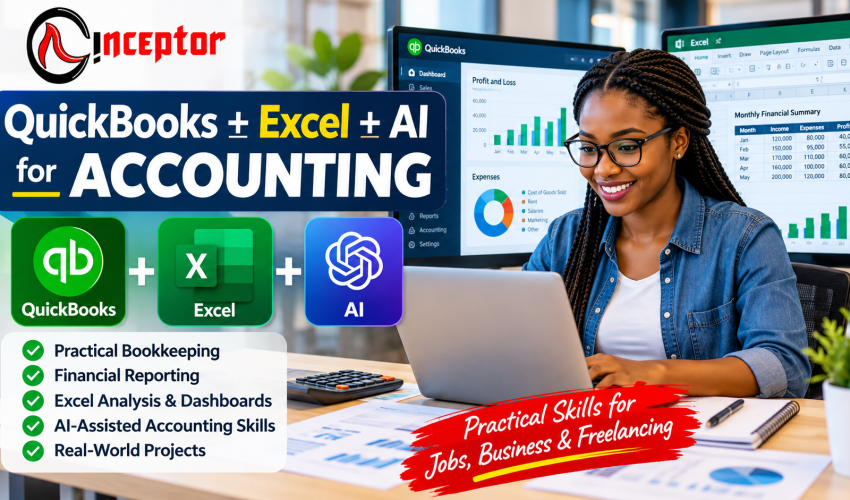
QuickBooks + Excel + AI for Accounting Course in Kenya
Learn Practical Bookkeeping, Financial Reporting, Excel & AI-Assisted Accounting Skills
Accounting today is no longer only about understanding debits, credits and financial statements. Accountants, bookkeepers, finance assistants and business owners increasingly need to know how to use accounting software, spreadsheets and AI-assisted tools to record transactions, reconcile accounts, analyse financial information and produce useful reports.
The QuickBooks + Excel + AI for Accounting Course at Inceptor Institute of Technology is a 6-week practical accounting technology course designed to help learners move from accounting concepts to real-world accounting workflows.
You will learn how to use QuickBooks for bookkeeping and financial reporting, Microsoft Excel for accounting analysis and reporting, and Artificial Intelligence tools to improve accounting productivity.
The emphasis is practical:
QuickBooks + Excel + AI + Real Accounting Projects + Portfolio Evidence
Rather than learning software commands in isolation, you work through realistic accounting scenarios and build projects that can demonstrate what you can actually do.
Course at a Glance
| Course Detail | Information |
| Course | QuickBooks + Excel + AI for Accounting |
| Duration | 6 Weeks |
| Course Fee | KSh 18,000 |
| Level | Beginner to Intermediate |
| Institution | Inceptor Institute of Technology |
| Location | Nairobi, Kenya |
| Physical Classroom | Available |
| Instructor-Led Online | Available |
| Self-Paced Learning | AI Tutorial-Enabled Course Book |
| Training Model | Comprehensive Hands-On Training |
| Projects | Practical Real-World Accounting Projects |
| Certification | Certificate Awarded Upon Successful Completion |
| Portfolio | Practical Accounting Projects for Project Profiling |
| Intakes | Ongoing |
What Is the QuickBooks + Excel + AI for Accounting Course?
This is a practical accounting technology course combining three increasingly complementary skill areas:
QuickBooks for bookkeeping and accounting operations.
Microsoft Excel for calculations, reconciliations, analysis, budgeting, financial schedules and reporting.
Artificial Intelligence for assisting with formulas, data analysis, explanations, reporting workflows, productivity and repetitive accounting tasks.
The course follows a simple progression:
LEARN → PRACTISE → COMPLETE PROJECTS → PROVE SKILLS → CREATE OPPORTUNITIES
By the end of the training, the objective is not simply for you to say, “I studied QuickBooks.”
You should have practised how to:
Record → Reconcile → Analyse → Report → Interpret → Verify
Why Learn QuickBooks + Excel + AI Together?
Modern accounting work frequently requires more than one tool.
QuickBooks: Record and Manage Accounting Transactions
QuickBooks provides an accounting environment for tasks such as:
- Setting up company accounts
- Creating a chart of accounts
- Recording sales
- Creating invoices
- Recording expenses
- Managing customers
- Managing suppliers
- Tracking receivables
- Tracking payables
- Recording bank transactions
- Reconciling accounts
- Generating financial reports
Excel: Analyse and Report
Excel gives accountants greater flexibility when they need to manipulate, calculate, organise or analyse financial information.
You can use Excel for:
- Bank reconciliation schedules
- Budgets
- Cash-flow forecasts
- Expense analysis
- Sales analysis
- Receivables schedules
- Payables schedules
- Financial calculations
- PivotTables
- Dashboards
- Management reports
Learners who want to develop these spreadsheet skills further can progress to Inceptor’s Advanced Excel Training in Kenya.
AI: Assist and Accelerate Accounting Work
AI tools can assist with tasks such as:
- Generating Excel formulas
- Explaining complicated formulas
- Troubleshooting spreadsheet errors
- Organising information
- Summarising financial information
- Drafting report commentary
- Identifying possible anomalies for investigation
- Developing accounting checklists
- Exploring financial scenarios
- Creating reusable prompts
- Supporting repetitive workflows
AI, however, should not replace accounting knowledge or professional judgement.
An accountant remains responsible for checking calculations, protecting confidential information, verifying AI-generated answers and determining whether the output makes accounting and business sense.
The workflow therefore becomes:
QuickBooks → Excel → AI Assistance → Human Verification → Business Decision
What Will You Learn?
The curriculum is organised around a six-week practical learning journey.
Week 1: Practical Accounting & Bookkeeping Foundations
Before using accounting software effectively, you need to understand what the software is recording.
Week 1 establishes the accounting foundation required to work confidently with QuickBooks and Excel.
Topics Covered
You will work through:
- The accounting equation
- Assets
- Liabilities
- Owner’s equity
- Revenue
- Expenses
- Debits and credits
- Chart of accounts
- Source documents
- Sales transactions
- Purchase transactions
- Cash transactions
- Bank transactions
- Accounts receivable
- Accounts payable
- Journals
- Ledgers
- Trial balance
- Profit and Loss Statement
- Balance Sheet
- Cash-flow fundamentals
- The complete bookkeeping cycle
Practical Exercise
You may be given a fictional Kenyan small business and a set of transactions.
Instead of simply defining accounting terminology, you identify what happened in each transaction, determine which accounts are affected and follow the information through the accounting cycle.
The objective is to understand the accounting logic before automating it with software.
Week 2: QuickBooks Setup & Daily Bookkeeping
Week 2 moves from accounting theory into practical QuickBooks work.
You learn how a business accounting system is structured and how everyday transactions are captured.
QuickBooks Skills
Training covers areas such as:
- Introduction to QuickBooks
- Navigating QuickBooks Online
- Creating a company
- Company settings
- Creating a chart of accounts
- Entering opening balances
- Creating customers
- Creating suppliers/vendors
- Setting up products and services
- Recording sales
- Creating estimates or quotations
- Creating invoices
- Recording customer payments
- Entering supplier bills
- Recording expenses
- Working with receipts
- Credit notes
- Cash transactions
- Bank transactions
- Transaction categorisation
- Maintaining accounting records
- User access and basic accounting controls
Practical Project: Set Up a Small Business in QuickBooks
Imagine that a new SME gives you its business information and asks you to establish its bookkeeping system.
You create:
Company → Chart of Accounts → Customers → Suppliers → Products/Services → Opening Balances → Transactions
This becomes the foundation for later projects.
Week 3: QuickBooks Banking, Reconciliation & Financial Reporting
Recording transactions is only one part of bookkeeping.
An accountant also needs to establish whether the records are complete and accurate and turn those records into useful reports.
Banking & Reconciliation
Learn practical concepts involving:
- Bank feeds
- Bank transactions
- Transaction categorisation
- Matching transactions
- Bank reconciliation
- Identifying discrepancies
- Investigating errors
- Correcting bookkeeping mistakes
- Month-end bookkeeping procedures
QuickBooks Reports
Practise working with:
- Accounts Receivable reports
- Accounts Payable reports
- Customer balances
- Supplier balances
- Profit and Loss
- Balance Sheet
- Cash Flow reports
- General Ledger
- Trial Balance
- Management reports
AI-Assisted QuickBooks Workflows
Where supported by the relevant QuickBooks product, subscription and region, learners can explore how AI-assisted functionality may help with accounting workflows.
The key lesson is:
AI suggestion ≠ verified accounting entry.
You should understand how to inspect AI-assisted suggestions, compare them with source information and apply accounting judgement before accepting them.
Week 4: Microsoft Excel for Accounting & Finance
QuickBooks helps maintain accounting records, but Excel remains valuable when accountants need flexible analysis, schedules, calculations and reports.
Inceptor currently teaches Excel as a practical tool for financial analysis, budgeting, reporting and dashboards in its Advanced Excel curriculum.
Excel Foundations
Learn:
- Worksheets
- Rows and columns
- Cell references
- Accounting data structures
- Formatting financial information
- Tables
- Sorting
- Filtering
- Data validation
- Conditional formatting
Essential Excel Functions for Accounting
Practise functions such as:
- SUM
- SUMIF / SUMIFS
- COUNTIF / COUNTIFS
- IF
- IFERROR
- XLOOKUP
- VLOOKUP
- INDEX/MATCH where appropriate
- ROUND
- Date functions
- Text functions
Excel for Practical Accounting
Apply these skills to:
- Expense tracking
- Sales analysis
- Bank reconciliation
- Accounts receivable ageing
- Accounts payable schedules
- Budget preparation
- Cash-flow forecasting
- Financial schedules
- Monthly reporting
PivotTables & Financial Dashboards
Learn how to take transactional information and turn it into summaries management can understand.
A financial dashboard could display:
Revenue | Expenses | Profit | Cash Flow | Receivables | Payables | Trends
Students who want to go deeper into Power Query, advanced dashboards and Excel automation can progress to Inceptor’s Advanced Excel Training in Kenya.
Week 5: AI for Accountants & AI-Assisted Accounting
Artificial intelligence can help accountants work differently—but only when the user understands both the accounting problem and the limitations of AI.
This module focuses on AI-assisted accounting productivity, not blind automation.
Practical AI Applications for Accounting
Learn how AI can assist you with:
- Generating Excel formulas
- Explaining formulas
- Debugging spreadsheet formulas
- Structuring financial data
- Cleaning and organising information
- Analysing datasets
- Exploring financial trends
- Identifying possible anomalies for investigation
- Summarising reports
- Drafting management commentary
- Creating financial-report narratives
- Drafting invoice follow-ups
- Drafting payment reminders
- Developing accounting checklists
- Developing month-end close checklists
- Exploring budgeting scenarios
- Explaining accounting concepts
- Developing reusable accounting prompts
- Documenting accounting workflows
- AI-assisted QuickBooks functionality where available
Learners who want broader skills in generative AI, prompting, AI agents and automation can explore Inceptor’s AI Course in Kenya. Inceptor’s current AI programme also uses a practical, project-based training model.
Responsible AI for Accountants
Financial information can be sensitive.
Learners therefore need to understand:
Confidentiality: Do not casually upload confidential client or employer financial information into public AI systems.
Hallucinations: AI can confidently produce incorrect information.
Calculation errors: Never assume an AI-generated calculation is correct simply because it looks professional.
Data privacy: Understand what information is appropriate to provide to an AI service.
Professional judgement: Accounting decisions may require context, standards, policy and professional expertise.
Verification: Check AI-generated formulas, calculations and interpretations.
Human oversight: A qualified person remains responsible for the final work.
The principle is:
USE AI → CHECK THE OUTPUT → VERIFY THE ACCOUNTING → MAKE THE DECISION
Week 6: Real-World Accounting Projects, Portfolio & Career Preparation
The final stage converts learning into evidence.
Instead of completing the course with only notes, learners work on practical accounting projects.
Project 1: Small Business QuickBooks Setup
Set up a fictional SME including:
- Company information
- Chart of accounts
- Customers
- Suppliers
- Products/services
- Opening balances
Project 2: Complete One-Month Bookkeeping Cycle
Process a realistic month’s transactions:
Sales → Expenses → Customer Payments → Supplier Bills → Bank Transactions → Reconciliation → Financial Reports
Project 3: Excel Accounting Dashboard
Develop a spreadsheet that converts accounting information into a management view of:
- Revenue
- Expenses
- Gross/net results where applicable
- Cash flow
- Receivables
- Payables
- Monthly trends
Project 4: Bank Reconciliation
Compare accounting records against a sample bank statement.
Identify:
- Missing transactions
- Timing differences
- Possible duplicates
- Recording errors
- Unreconciled items
Then prepare a reconciliation.
Project 5: AI-Assisted Accounting Workflow
Choose an appropriate accounting task and document:
Task → AI Assistance → AI Output → Verification → Corrections → Final Output
This demonstrates that you understand both the usefulness and limitations of AI.
What Should You Be Able to Do After the Course?
After completing the training and required practical work, learners should have practised how to:
- Set up a basic company in QuickBooks
- Build a chart of accounts
- Create customer and supplier records
- Record common business transactions
- Create invoices
- Record expenses
- Manage receivables and payables
- Work with banking transactions
- Perform basic bank reconciliation
- Produce accounting reports
- Interpret basic financial information
- Create accounting spreadsheets
- Use common Excel accounting formulas
- Analyse financial data
- Create PivotTables
- Build basic financial dashboards
- Prepare budgets and cash-flow schedules
- Use AI to assist with Excel and accounting workflows
- Verify AI-generated accounting output
- Complete practical accounting projects
- Present selected projects as evidence of applied skills
Career Opportunities After Learning QuickBooks, Excel & AI for Accounting
QuickBooks, Excel and AI skills can complement accounting, finance, administration or business qualifications.
Depending on your education, experience, professional qualifications and the requirements of individual employers, these skills may support pathways such as:
- Accounts Assistant
- Junior Accountant
- Bookkeeper
- Accounts Clerk
- Finance Assistant
- Accounts Receivable Assistant
- Accounts Payable Assistant
- Billing Assistant
- Finance/Payroll Support
- Administrative Assistant with accounting duties
- QuickBooks/Bookkeeping Assistant
- SME Bookkeeper
- Freelance Bookkeeper
- Virtual Bookkeeping Assistant
- Remote Accounting Support
- Excel Reporting Assistant
- Finance Data/Reporting Assistant
These capabilities can be relevant across SMEs, retail, e-commerce, NGOs, schools, hospitality, professional services, construction, real estate, logistics, healthcare and startups.
The course does not guarantee employment. Its purpose is to help you build practical skills and evidence of what you can do.
Turn Accounting Skills Into Freelance Services
You do not necessarily have to package yourself simply as “someone who knows QuickBooks.”
Think in terms of a business problem and a service that solves it.
| Skill | Potential Service |
| QuickBooks | Set up and organise QuickBooks for an SME |
| Bookkeeping | Record and organise routine business transactions |
| Reconciliation | Reconcile accounting records against bank activity |
| Excel | Build sales, expense and profit trackers |
| Excel Dashboards | Create management reporting dashboards |
| QuickBooks + Excel | Bookkeeping plus monthly management reports |
| AI + Accounting | Develop AI-assisted, human-verified accounting workflows |
Other potential services include invoice management, accounts receivable tracking, accounts payable tracking, financial-data organisation and virtual bookkeeping support.
Professional or regulated accounting work may require qualifications beyond this short course. Learners should operate within their competence and applicable professional requirements.
Create & Sell Accounting Digital Products From Your Skills
Accounting knowledge can also be packaged into reusable knowledge products and digital tools.
After building genuine competence, possible products include:
- Small Business Bookkeeping Excel Template
- Income & Expense Tracker
- Cash-Flow Forecast Template
- Invoice Tracker
- Accounts Receivable Tracker
- Accounts Payable Tracker
- Monthly Budget Spreadsheet
- Business Expense Tracker
- Profit Calculator
- Financial Dashboard
- Bank Reconciliation Template
- Bookkeeping Checklist
- Month-End Accounting Checklist
- QuickBooks Setup Checklist
- Accounting SOP Templates
- Excel Formula Cheat Sheets
- AI Prompt Packs for Accounting
- Practical Bookkeeping Guides
- Short Accounting Tutorials
- Micro-courses
The pathway becomes:
LEARN → PRACTISE → BUILD EXPERTISE → PACKAGE KNOWLEDGE → SELL DIGITAL PRODUCTS
For example, a learner who becomes skilled at creating an Excel cash-flow system could package a generic version as a reusable template with instructions.
Such resources can potentially be distributed through a digital-products marketplace such as Vezill.
This does not guarantee income. The commercial result depends on product quality, usefulness, positioning, pricing, marketing and customer demand.
Who Should Enrol?
This course can be relevant to:
- Accounting students
- Finance students
- Business students
- University and college graduates
- KCSE graduates interested in practical bookkeeping skills
- Accountants seeking stronger digital skills
- Finance professionals
- Administrative staff
- Entrepreneurs
- SME owners
- Freelancers
- Virtual assistants
- Career changers
- People responsible for business financial records
- Learners interested in QuickBooks and Excel
Can I Learn QuickBooks Without an Accounting Background?
Yes. A beginner can start learning QuickBooks, but understanding basic accounting makes the software much more meaningful.
That is why this course begins with practical bookkeeping foundations before moving into QuickBooks.
You first understand concepts such as:
Assets → Liabilities → Equity → Revenue → Expenses → Debits/Credits → Financial Statements
You then apply them using accounting software.
Accounting and finance graduates face a different challenge: they may already understand the theory but need experience translating it into practical software, spreadsheet and reporting workflows.
The course is designed to bridge that gap as well.
QuickBooks vs Excel vs AI: What Is the Difference?
| Tool | Primary Purpose | Practical Accounting Use |
| QuickBooks | Accounting system | Bookkeeping, invoices, expenses, banking, reconciliation and financial reporting |
| Microsoft Excel | Flexible spreadsheet platform | Calculations, schedules, analysis, reconciliation, budgeting and dashboards |
| AI | Productivity and assistance layer | Formula assistance, analysis support, explanations, summaries and workflow assistance |
You do not necessarily choose one and ignore the others.
A modern workflow could look like:
SOURCE DOCUMENT → QUICKBOOKS → RECONCILIATION → EXCEL ANALYSIS → AI ASSISTANCE → HUMAN REVIEW → REPORT → DECISION
Three Flexible Ways to Study
1. Physical Classroom Training in Nairobi
Attend face-to-face practical training at Inceptor Institute of Technology in Nairobi.
This format is suitable for learners who prefer direct interaction and structured classroom learning.
2. Instructor-Led Online Training
Learn remotely through instructor-led online sessions.
This option makes the course accessible to learners who cannot attend the Nairobi classroom physically.
3. Self-Paced AI Tutorial-Enabled Course Book
Learn independently using a structured course book supported by an AI-enabled tutorial approach.
The learning material guides you through:
Concept → Explanation → Example → Exercise → Project → Verification
This format can suit learners who require greater flexibility.
Practical Projects as Evidence of Skills
A certificate tells an employer or client that you completed training.
A project helps show what you can actually do.
That is why project profiling is an important component of this course.
Depending on the work completed, learners can potentially present selected projects through:
- CV project sections
- Job interviews
- Freelance profiles
- Personal portfolios
- Client presentations
Instead of saying:
“I know Excel.”
you can discuss an accounting dashboard you created.
Instead of:
“I studied QuickBooks.”
you can explain the sample company you set up and the bookkeeping cycle you completed.
That moves the conversation from certificate possession to evidence of capability.
Certification
Learners who successfully complete the applicable course requirements receive an Inceptor course certificate.
The programme also emphasises project evidence so learners can demonstrate practical application alongside certification.
Why Study QuickBooks + Excel + AI at Inceptor?
Practical Learning
The training focuses on applying concepts rather than memorising definitions.
Real-World Business Scenarios
Accounting exercises are structured around the types of transactions and records learners may encounter in business environments.
Project-Based Training
Learners build practical outputs that can support portfolio and project profiling.
Accounting + Technology
The programme connects bookkeeping fundamentals with QuickBooks, Excel and AI-assisted workflows.
Flexible Learning Options
Choose between:
Physical Classroom | Instructor-Led Online | Self-Paced AI Tutorial-Enabled Course Book
Career-Oriented Skills
Training focuses on capabilities that can be explained and demonstrated to potential employers or clients.
Digital Entrepreneurship Exposure
Learners also explore how developed expertise can potentially be converted into freelance services, templates, guides and other knowledge products.
This practical and project-based approach is consistent with Inceptor’s current Advanced Excel, Data Analysis and AI programmes.
Related Courses at Inceptor Institute of Technology
After completing this course, learners who want deeper specialist skills can consider:
Advanced Excel Training in Kenya
https://inceptor.co.ke/k-course/advanced-excel/
Develop more advanced spreadsheet analysis, Power Query, dashboards, financial analysis and automation.
Data Analysis Course in Kenya
https://inceptor.co.ke/k-course/data-analysis/
Progress into Excel, SQL, Power BI, Python, AI and broader data-analysis workflows.
AI Course in Kenya
https://inceptor.co.ke/k-course/ai-training/
Develop broader skills in generative AI, prompt engineering, AI agents, automation and applied artificial intelligence.
Inceptor Institute of Technology
https://inceptor.co.ke/
Frequently Asked Questions
1. How much is the QuickBooks + Excel + AI for Accounting course at Inceptor?
The 6-week QuickBooks + Excel + AI for Accounting course at Inceptor costs KSh 18,000.
2. How long is the course?
The programme takes 6 weeks.
3. Where can I learn QuickBooks, Excel and AI in Nairobi?
Inceptor Institute of Technology offers the course in Nairobi at Hazina Towers, 18th Floor, Utalii Lane. Online training is also available.
4. Is the course available online?
Yes. Learners can choose instructor-led online training in addition to physical classroom learning.
5. Can I study at my own pace?
A self-paced AI tutorial-enabled course book option is available for learners who prefer independent study.
6. Can a beginner learn QuickBooks?
Yes. Beginners can learn QuickBooks more effectively when bookkeeping fundamentals are introduced first. This programme begins with basic accounting concepts before progressing to QuickBooks workflows.
7. Do I need an accounting degree?
An accounting degree is not required to begin the course. However, the scope of professional accounting services or jobs you can undertake will also depend on your wider qualifications and experience.
8. Is QuickBooks useful for accountants?
QuickBooks can be useful for accountants and bookkeepers working with businesses that use the platform for invoicing, transaction recording, banking, expenses and financial reporting.
9. Should an accountant learn QuickBooks or Excel?
They perform different functions. QuickBooks provides an accounting system, while Excel provides flexible calculations, analysis, schedules and reporting. Learning both can therefore be useful.
10. Why should accountants learn Excel?
Excel is commonly applied to calculations, reconciliations, financial schedules, budgets, cash-flow analysis, data cleaning, reporting and dashboards.
11. How is AI used in accounting?
AI can assist with formula generation, information organisation, analysis support, anomaly identification, summaries, reporting drafts and repetitive workflows. Outputs still require verification.
12. Will AI replace accountants?
AI can automate or assist with particular accounting tasks, but accounting work also involves judgement, verification, controls, context, responsibility and professional expertise. The course therefore teaches AI as an assistance layer rather than a substitute for accounting competence.
13. Can ChatGPT help with accounting?
Generative AI tools can assist with explaining accounting concepts, generating or debugging Excel formulas, developing checklists, organising information and drafting commentary. Financial outputs should always be independently checked.
14. What Excel skills should an accountant know?
Useful skills include formulas, lookups, conditional functions, data cleaning, sorting/filtering, tables, PivotTables, reconciliation schedules, budgeting and dashboard creation.
15. Can I become a bookkeeper after learning QuickBooks?
QuickBooks training can contribute to bookkeeping capability, but competent bookkeeping also requires understanding accounting principles, accuracy, business processes and practical experience.
16. Can QuickBooks skills help with freelancing?
They may support services such as bookkeeping setup, transaction recording, reconciliation and reporting when combined with adequate accounting competence and client-management skills.
17. Can bookkeeping be done remotely?
Many bookkeeping activities involve digital records and cloud accounting systems and can therefore be performed remotely where the employer or client permits it.
18. What accounting projects can I build?
Projects can include a QuickBooks company setup, full bookkeeping cycle, bank reconciliation, Excel financial dashboard and an AI-assisted accounting workflow.
19. Do I receive a certificate?
A certificate is awarded upon successful completion of the applicable Inceptor course requirements.
20. What jobs use QuickBooks and Excel?
Relevant roles can include bookkeeper, accounts assistant, accounts clerk, finance assistant, administrative finance support and other positions involving accounting records and reporting. Requirements vary by employer.
21. Can accounting skills be turned into digital products?
Yes. Once you have genuine expertise, you can potentially create reusable spreadsheets, financial trackers, bookkeeping checklists, templates, guides, tutorials and educational resources.
22. Is AI included in the accounting course?
Yes. The course includes practical AI-assisted accounting applications, particularly around Excel, analysis, productivity, reporting and responsible verification.
23. Does the course include practical projects?
Yes. The training model includes practical real-world projects intended to help learners apply and demonstrate their skills.
24. Is the course suitable for business owners?
Yes. SME owners who want to better understand bookkeeping, financial records, Excel analysis and digital accounting workflows can benefit from the programme.
25. What is the main objective of the course?
The objective is to move beyond accounting theory and help learners develop practical capability using QuickBooks + Excel + AI + Real Accounting Projects.
Start Building Practical Accounting Technology Skills
Accounting knowledge becomes more valuable when you can apply it.
Don’t only learn accounting theory.
Learn how to:
RECORD → RECONCILE → ANALYSE → AUTOMATE → REPORT → INTERPRET → VERIFY
Build practical experience with:
QuickBooks + Excel + AI + Real Accounting Projects
Course: QuickBooks + Excel + AI for Accounting
Duration: 6 Weeks
Fee: KSh 18,000
Training: Physical Classroom | Instructor-Led Online | Self-Paced AI Tutorial-Enabled Course Book
Training Model: Comprehensive Hands-On Training + Practical Real-World Projects
Certification: Certificate Awarded Upon Successful Completion
Institution: Inceptor Institute of Technology
Location: Hazina Towers, 18th Floor, Utalii Lane, Nairobi
Call/WhatsApp: +254 728 456 781
Email: admin@inceptor.co.ke
Learn Accounting. Master the Tools. Build the Projects. Prove Your Skills.
Apply for the next intake at Inceptor Institute of Technology.

Get unlimited access to all learning content and premium assets Membership Pro